At a glance
| Objective | Design, build, document, and decommission a production-shaped hybrid network for a simulated 5–50 seat business |
| Approach | Two full iterations – an exploratory build, then a documented rebuild from a self-authored playbook |
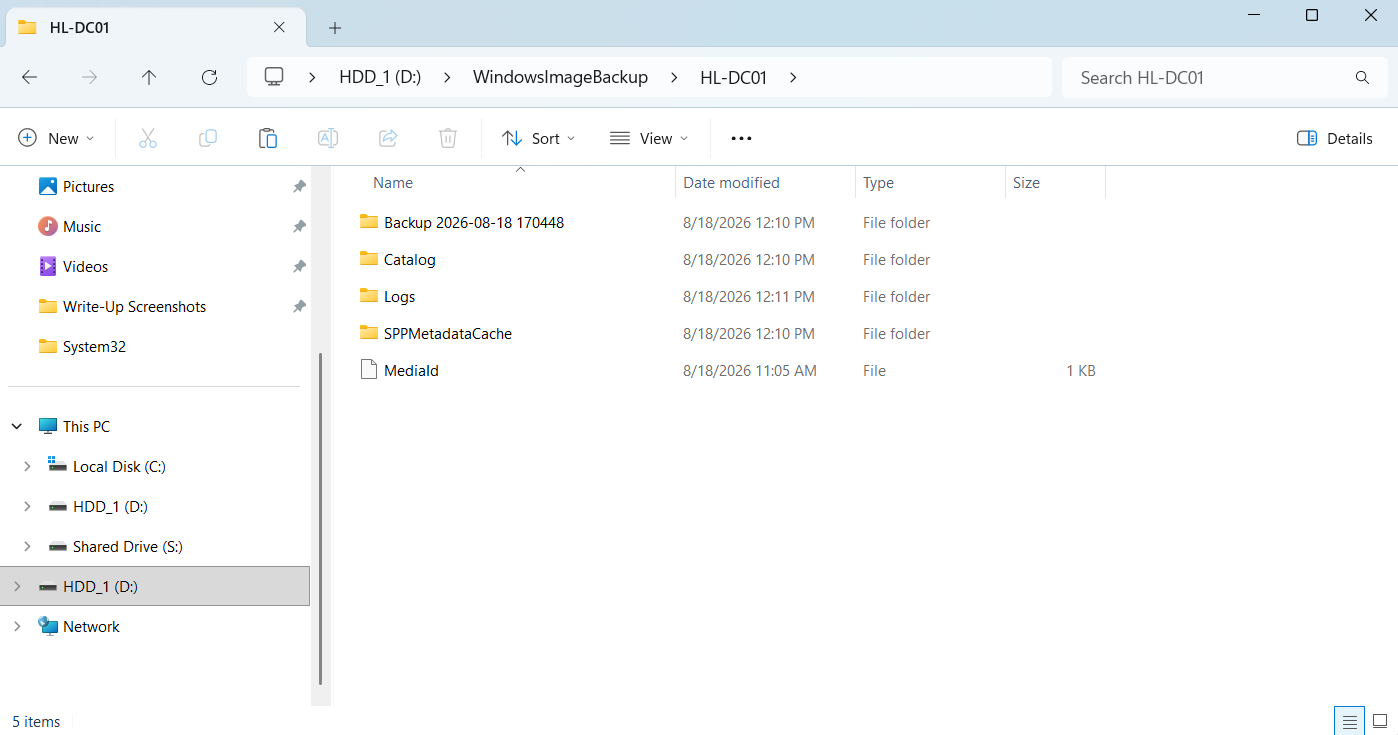
| Round 2 build time | 5 hours 58 minutes, bare metal, single operator |
| Hardware | 1 × mini PC (domain controller / file server), 2 × laptops (clients), 1 × Hyper-V VM (second DC) |
| Cloud | Microsoft 365 Business Premium tenant with a registered custom domain |
| Artifacts | 48-page build & troubleshooting playbook, 12-phase decommission runbook, phase-by-phase build log |
Why this project exists
I am changing careers into IT, and I had no production environment to learn in. Reading about Active Directory does not teach you what happens when Group Policy silently fails to apply, or why a laptop refuses to join a domain that answers ping without complaint.
So I built the environment, broke it, diagnosed the breakage, wrote down what I learned, tore the whole thing down, and built it again – the second time from my own documentation rather than from tutorials.
The deliverable that matters here is not the network. It is the playbook, and the measurable difference between the two builds.
Scenario
A fictional small business, “HomeBiz,” needs:
- Centralized user authentication and computer management
- Departmental file shares with least-privilege access (Sales and Accounting must not see each other’s data)
- Automatically mapped drives and redirected user folders
- Single sign-on spanning on-premises and Microsoft 365
- Cloud-based device management and application deployment
- Directory redundancy and a tested backup
That list is the shape of a large share of real small-business work: an on-premises domain that grew into Microsoft 365, with both halves expected to behave as one system.
Architecture
                        Internet
                            │
                 ┌──────────┴──────────┐
                 │  Firewall / Router  │   VLAN 40 · 192.168.40.0/24
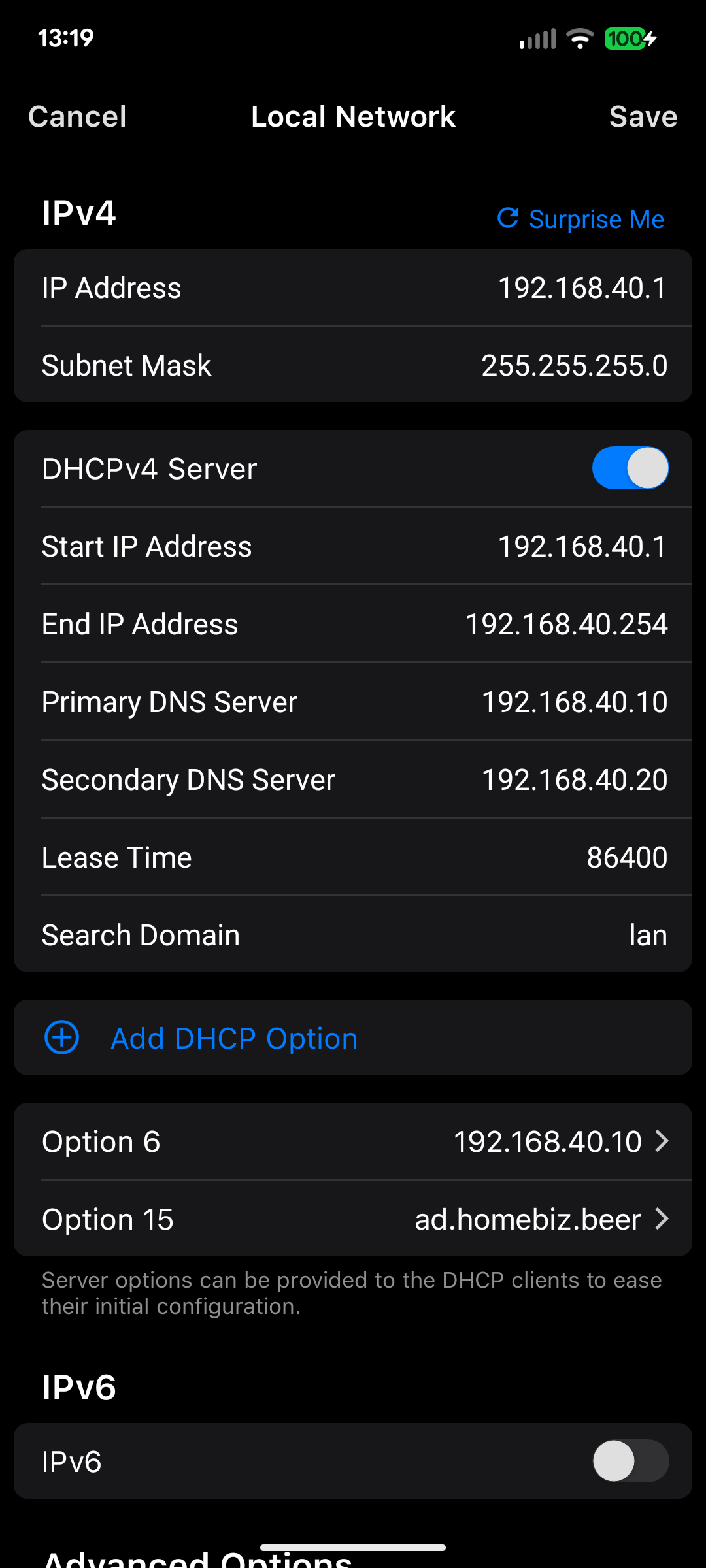
                 │  DHCP opt 6 + 15    │   DNS → .10, .20
                 └──────────┬──────────┘
                            │
        ┌───────────────────┼───────────────────┐
        │                   │                   │
   ┌────┴─────┐      ┌──────┴──────┐     ┌──────┴──────┐
   │ HL-DC01  │      │  HL-DC02    │     │  Clients    │
   │  .10     │◄────►│   .20       │     │  WS-ACCT01  │
   │ bare     │ repl │  Hyper-V VM │     │  WS-SALES01 │
   │ metal    │      │             │     │  Windows 11 │
   ├──────────┤      ├─────────────┤     └──────┬──────┘
   │ AD DS    │      │ AD DS       │            │
   │ DNS      │      │ DNS / GC    │      domain joined
   │ File svc │      └─────────────┘      hybrid joined
   │ Entra    │                                 │
   │ Connect  │                                 │
   └────┬─────┘                                 │
        │  Password Hash Sync · SCP · hybrid join│
        └──────────────────┬────────────────────┘
                           ▼
        ┌──────────────────────────────────────┐
        │  Microsoft Entra ID  ·  Microsoft 365│
        │  Intune MDM  ·  Conditional Access   │
        └──────────────────────────────────────┘
Namespace design. The public domain homebiz.beer was registered and verified in Entra ID; the internal AD domain is the subdomain ad.homebiz.beer. That avoids split-brain DNS entirely, since the domain controller is authoritative only for the child zone and forwards everything else upstream, and it means a user’s sign-in name and email address are the same string in both directories.
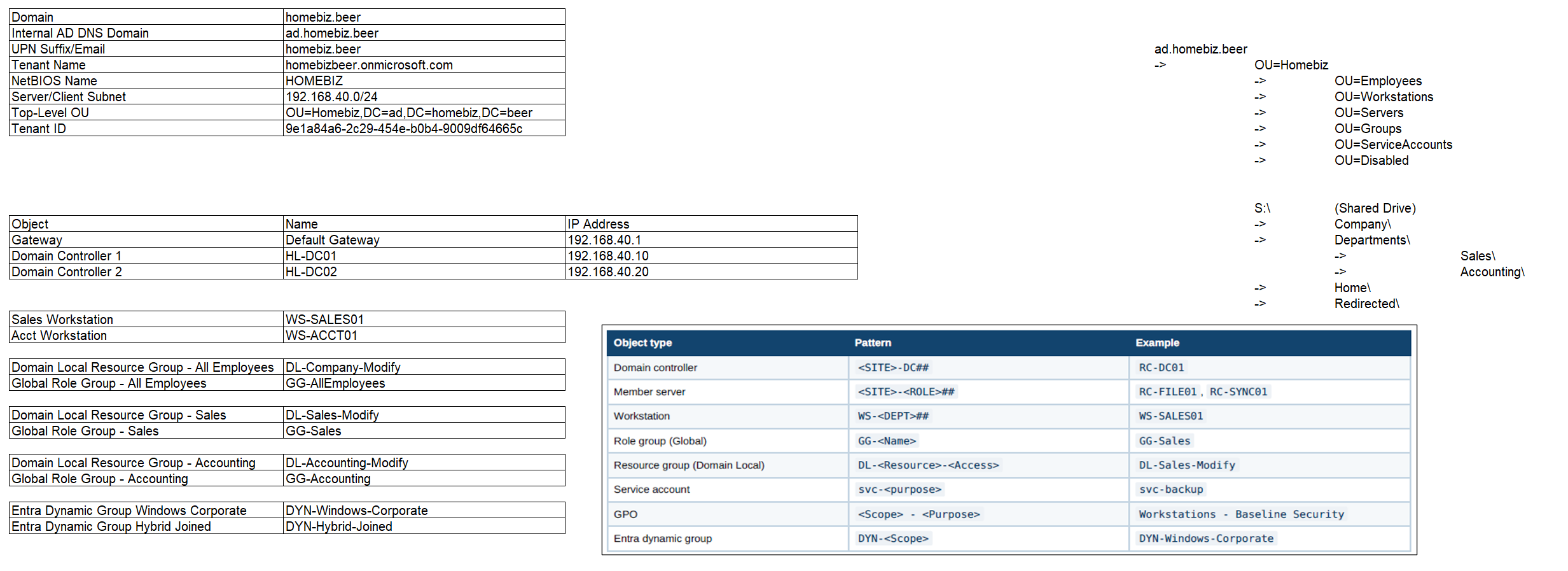 Phase 0 – naming, addressing, and OU design fixed on paper before any hardware was touched.
Methodology
I ran this as two deliberate iterations against a crawl-walk-run model.
| Round 1 – Crawl | Round 2 – Walk | |
|---|---|---|
| Method | Tutorial-led, exploratory, out of order | Executed from my own playbook as a checklist |
| Goal | See the concepts work at least once | Test whether the documentation was actually usable |
| Output | A list of failures with root causes | A working build, plus revisions to the playbook |
| Duration | Several days | Under 6 hours |
Round 1’s actual product was a set of expensive mistakes. Every one of them was traced to a root cause rather than papered over with a workaround, and every one became a section of the playbook. Round 2 then tested whether that playbook worked in the hands of the person who wrote it, which is the friendliest possible audience and still a test the documentation could have failed.
Build sequence
The playbook’s core principle: everything that shapes a user’s experience is built before the users exist and before any client is joined. OU structure, security groups, share permissions, Group Policy, the UPN suffix, and MDM enrollment policy are all foundation. Build them first and the first user to log in receives a finished environment instead of a work in progress.
| Phase | Work | Cumulative |
|---|---|---|
| 0 | Design: naming, addressing, OUs, groups, tenant, domain registration | N/A – untimed |
| 1 | Server base build, static addressing, storage | 0:32 |
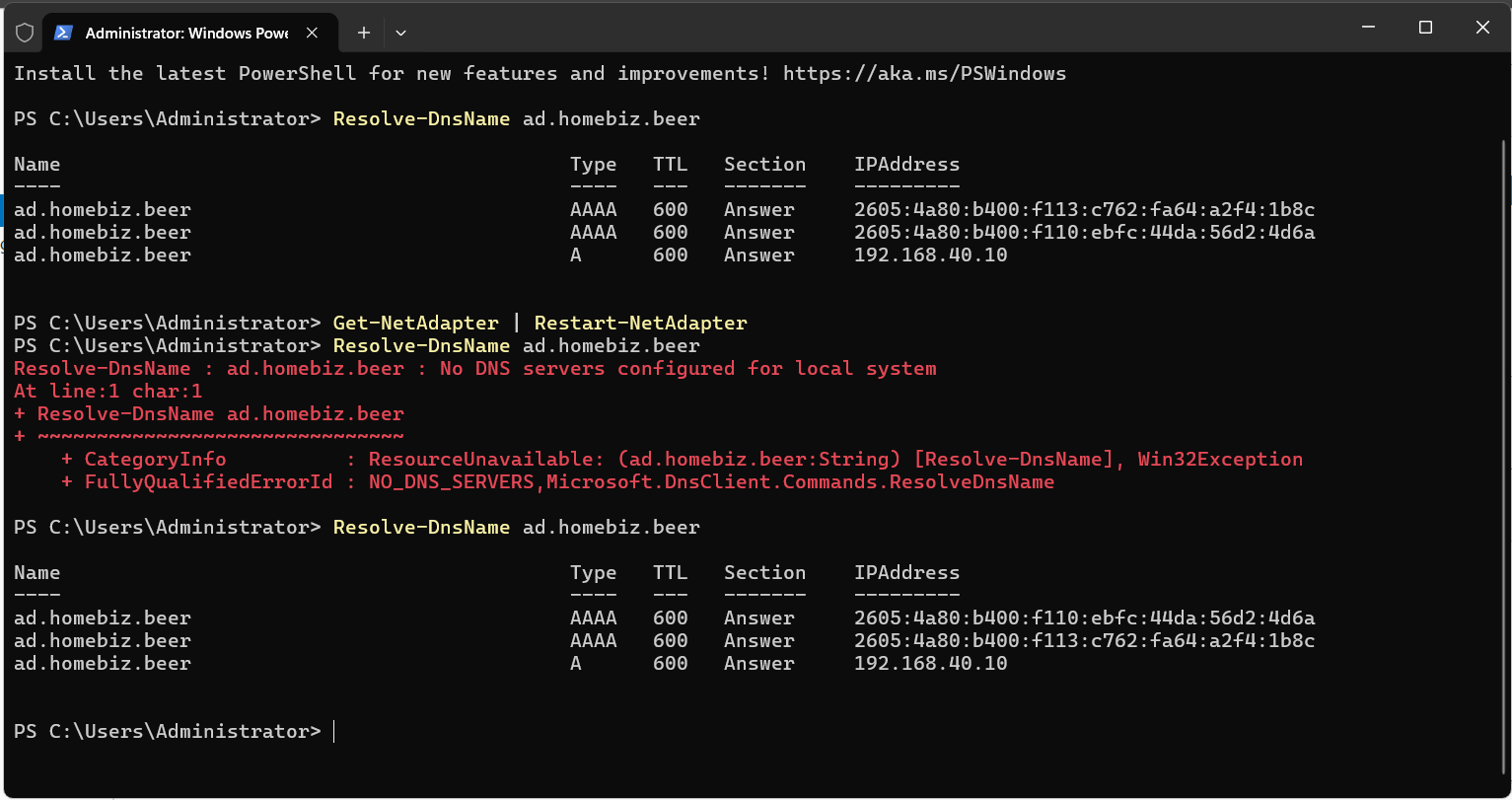
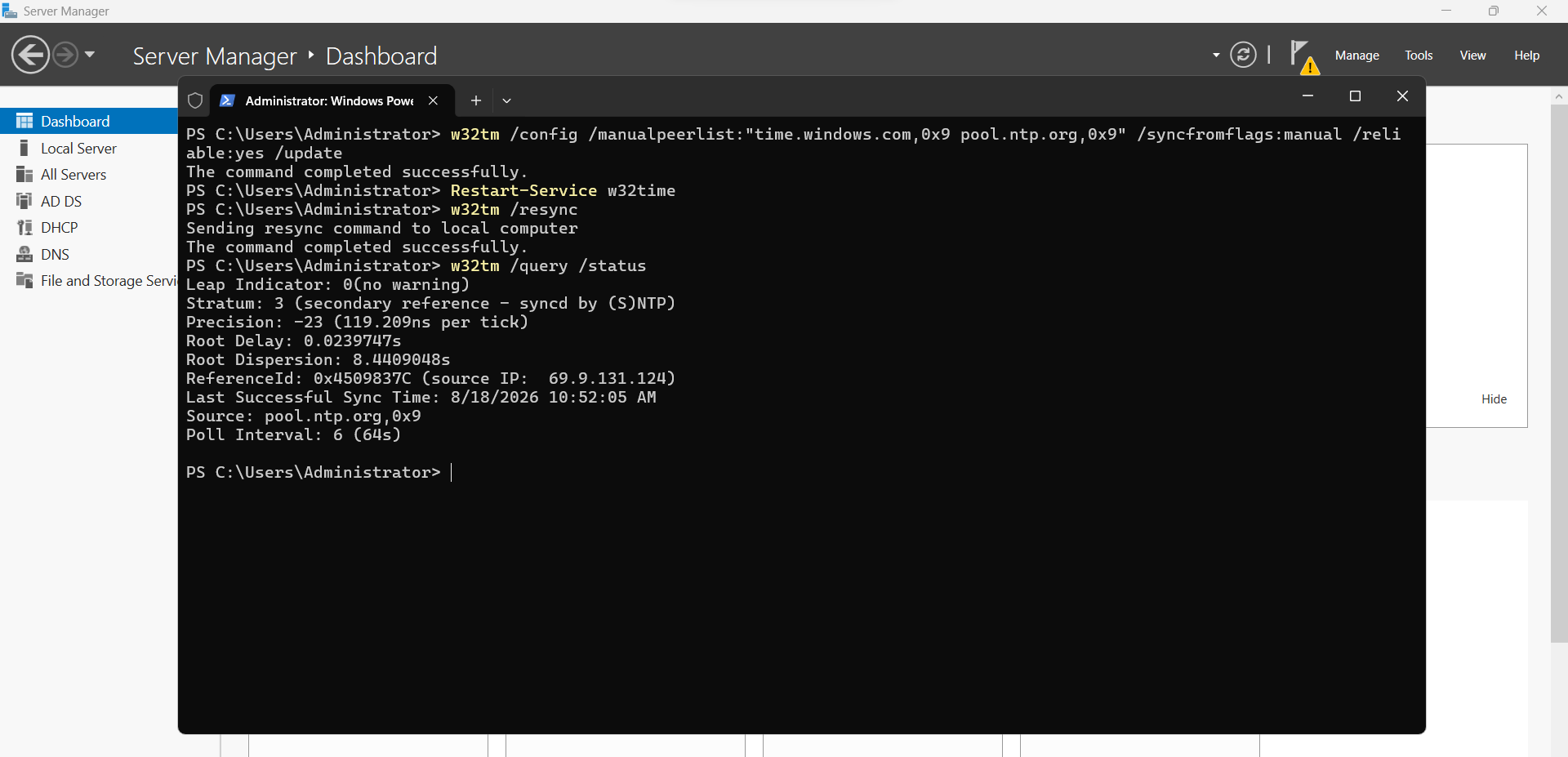
| 2 | Promote first DC · DNS forwarders, reverse zone, scavenging · external NTP | 1:47 |
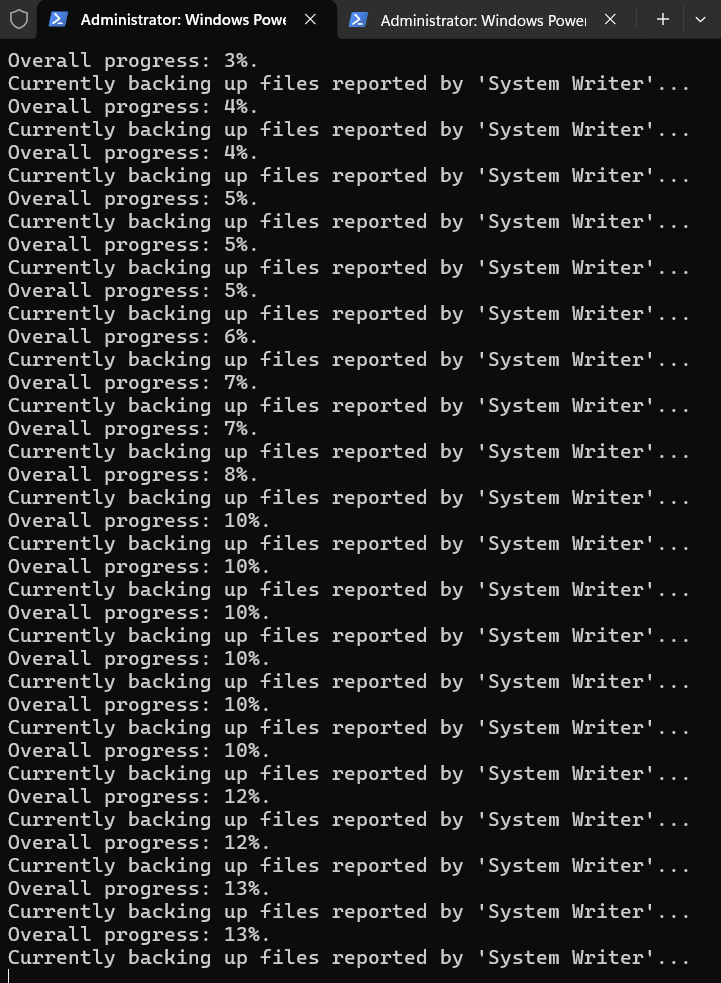
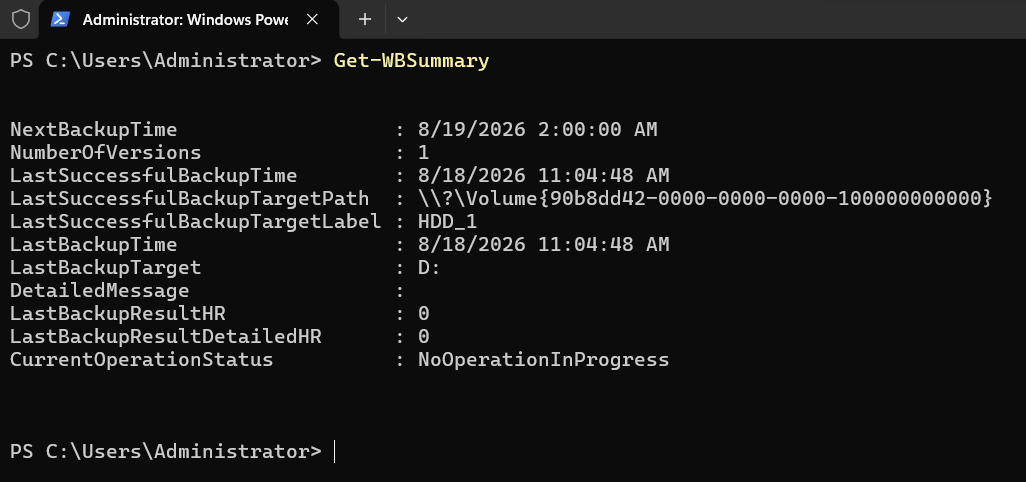
| 3 | System State backup scheduled · AD Recycle Bin enabled | 1:53 |
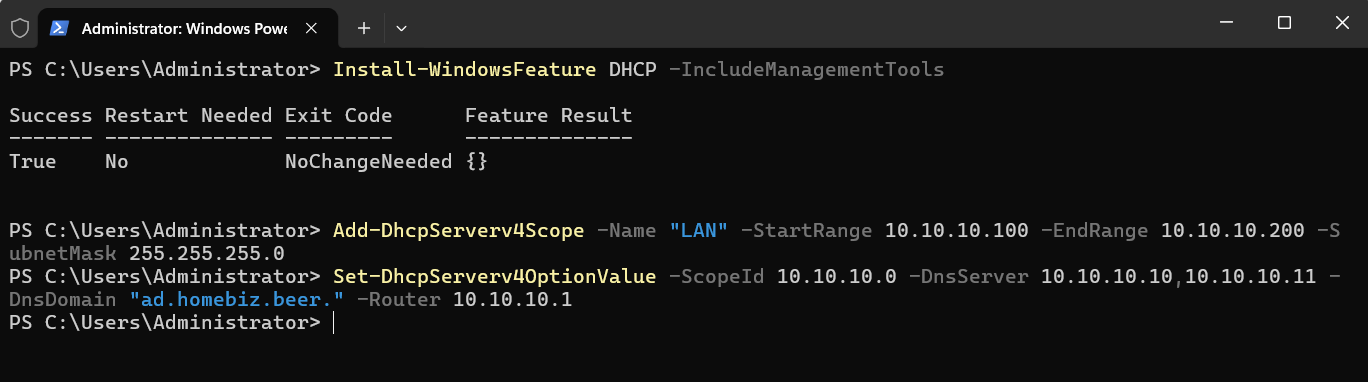
| 4 | DHCP options 6 and 15 delivering DC as DNS | 1:55 |
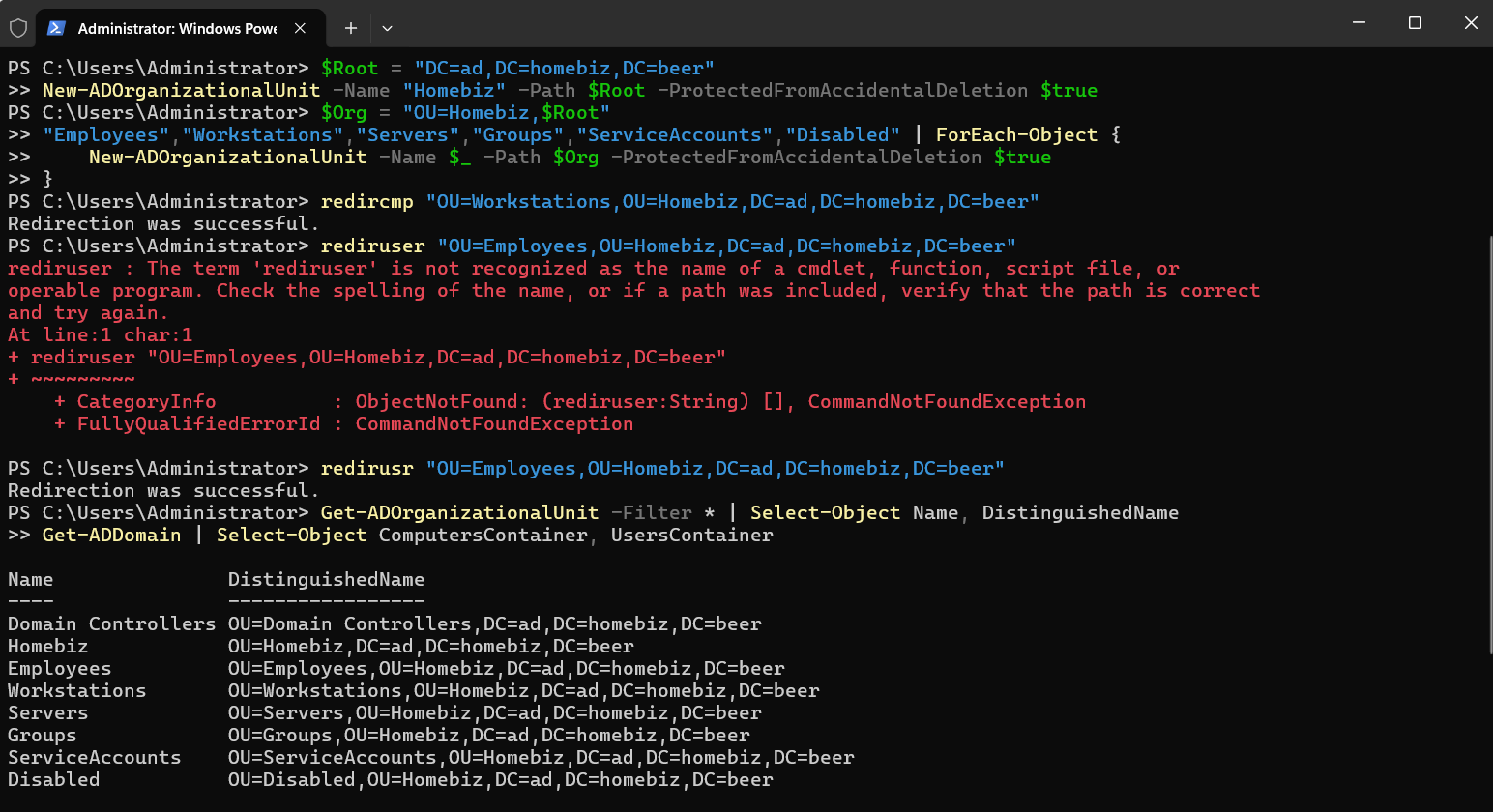
| 5 | OU structure · redircmp / redirusr container redirection |
2:00 |
| 6 | Security groups – AGDLP model, both tiers | 2:05 |
| 7 | File shares · Access-Based Enumeration · NTFS by group | 2:22 |
| 8 | Five purpose-scoped GPOs, validated against a test user | 2:50 |
| 9 | Entra Connect · UPN suffix · SCP · hybrid join configuration | 3:24 |
| 10 | Scripted bulk user creation with generated credentials | 3:41 |
| 11 | Client build, domain join, hybrid Entra join | 4:48 |
| 12 | Intune policy and Microsoft 365 Apps deployment | 5:17 |
| 13 | Second domain controller promoted and replicating | 5:58 |
Phases 4, 5, and 6 took twelve minutes combined, which is the direct payoff of the untimed design phase sitting above them.
Selected technical work
Identity and access model
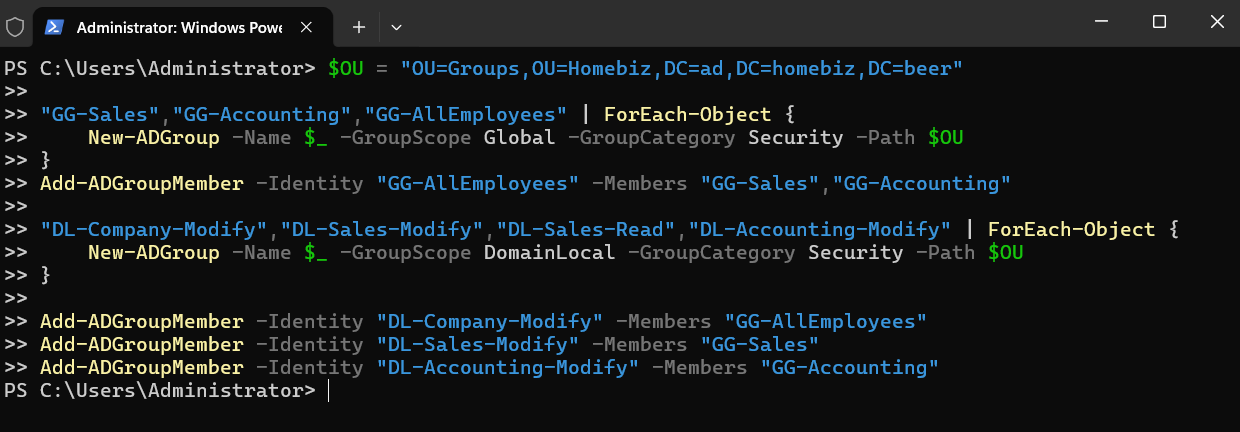
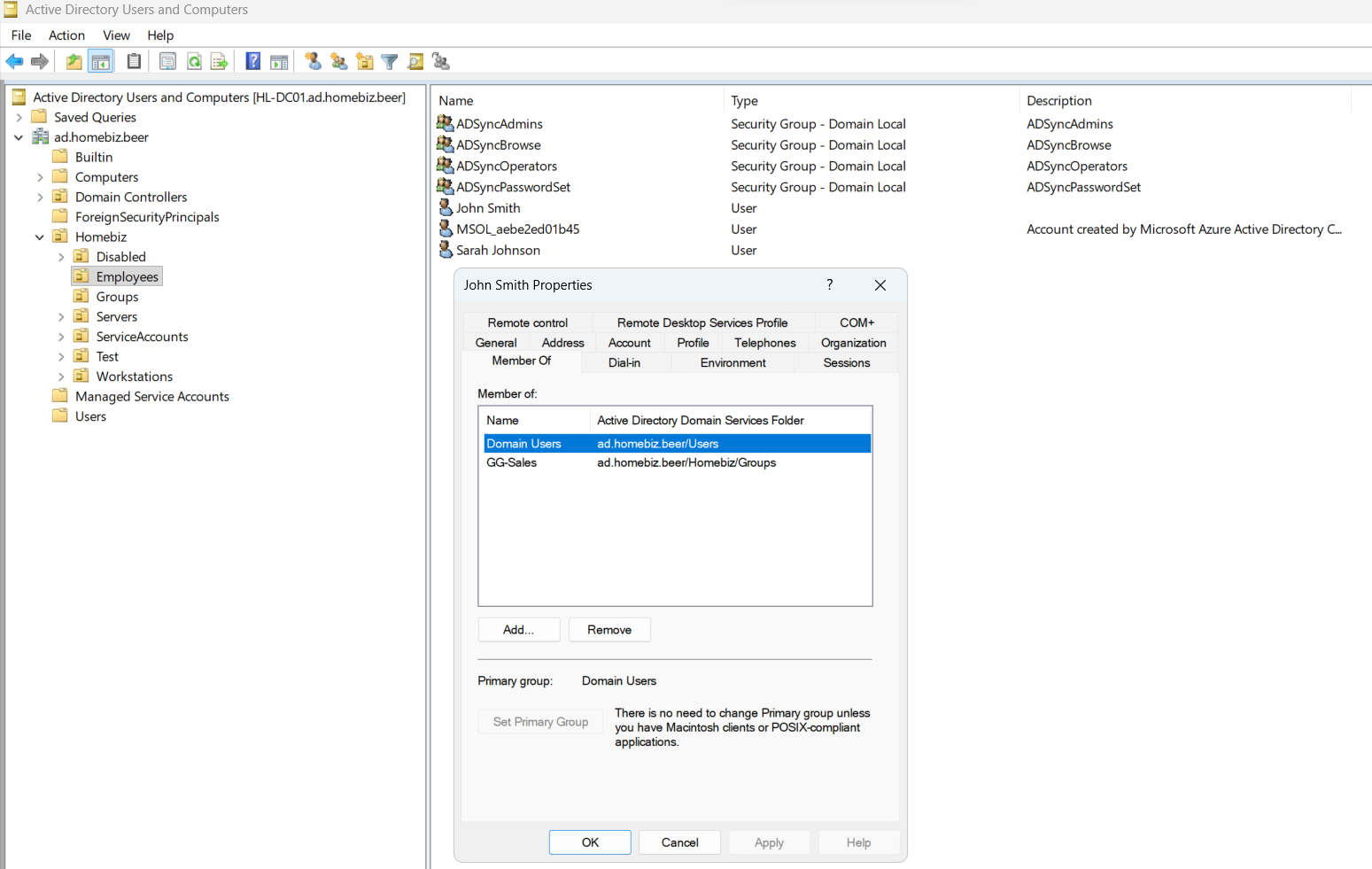
Access is governed by AGDLP: user accounts go into global role groups, role groups nest into domain local resource groups, and permissions are assigned only to the resource group. No permission is ever assigned to an individual account.
sjohnson → GG-Accounting → GG-AllEmployees → DL-Company-Modify → NTFS on \Company
                         ↘ DL-Accounting-Modify → NTFS on \Departments\Accounting
The practical result is that adding a user to one department group grants both company-wide and department-specific access, and revoking it later is a single group-membership change rather than an ACL edit on a folder tree.
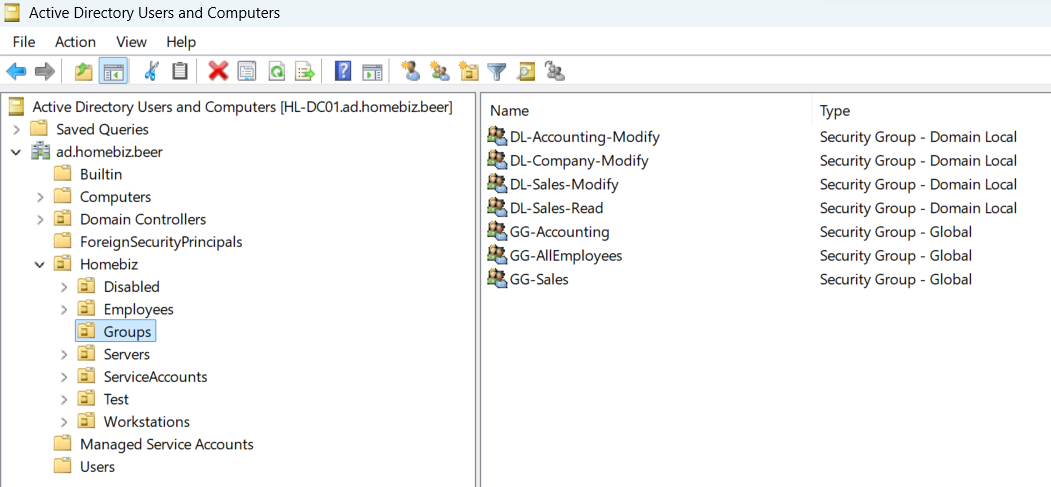 Global role groups nested into domain local resource groups.
File services – two layers of concealment
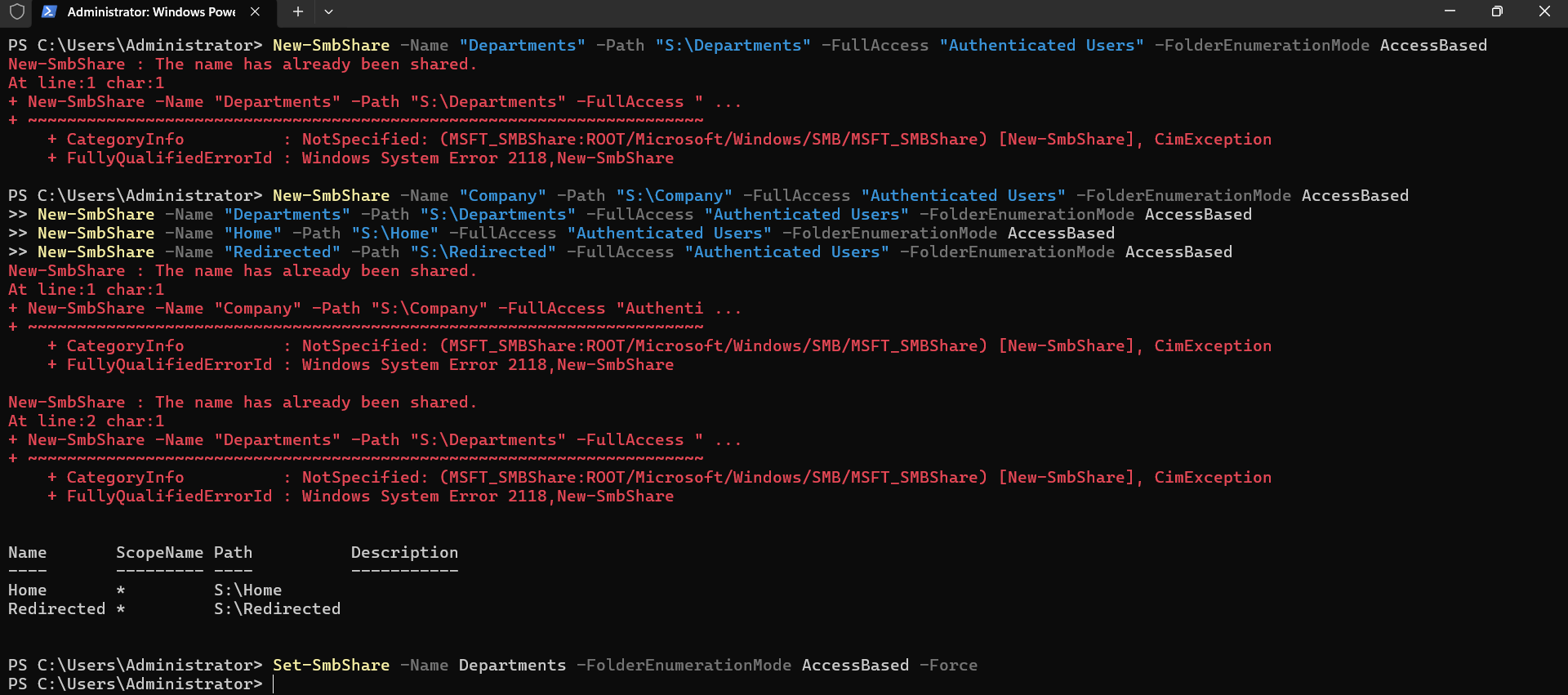
Share permissions were deliberately opened to Authenticated Users so that the share layer can never be the cause of an access problem, with all real control enforced through NTFS. Two independent mechanisms restrict visibility:
- Item-level targeting on Group Policy drive maps controls which drive letters appear per user
- Access-Based Enumeration on the share controls which folders are visible at all
Both are required. Item-level targeting on its own still exposes every department folder to anybody browsing the UNC path directly, which isn’t a theoretical concern in an office where somebody eventually types a path by hand.
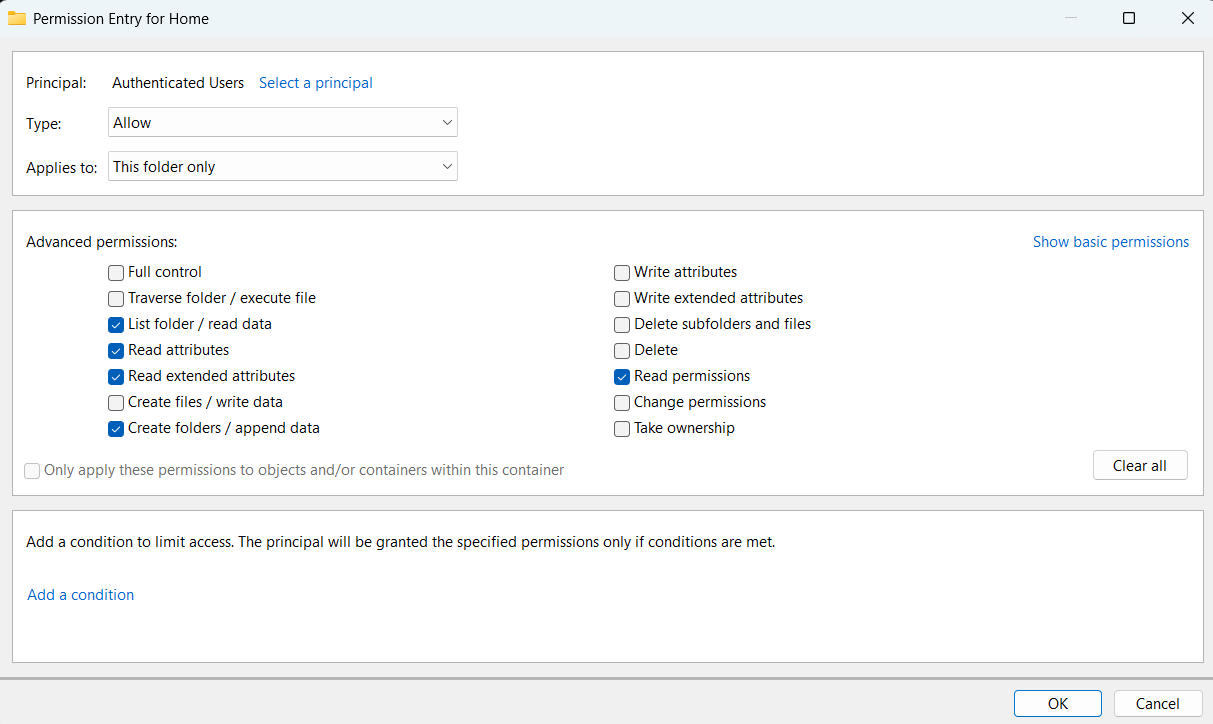
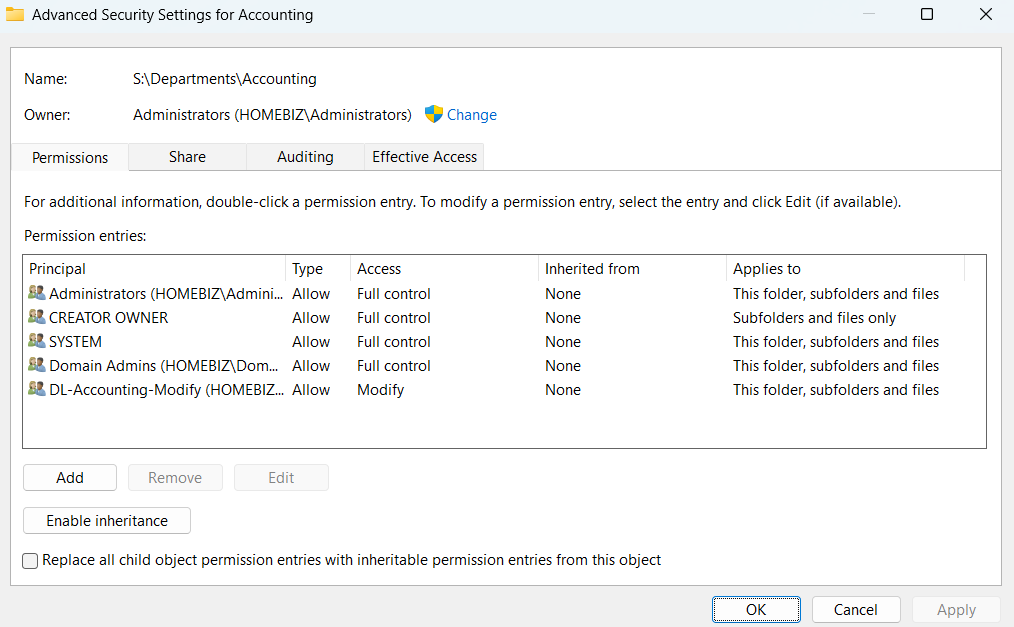 Department folder ACL – administrative access, resource group at Modify, CREATOR OWNER scoped to child objects only.
Verification included the negative case: an Accounting user could reach Company and Accounting data, and could not see that the Sales folder exists.
Group Policy
Five purpose-named GPOs, each linked to the OU containing the objects it targets – User Configuration policies on the user OU, Computer Configuration policies on the workstation OU.
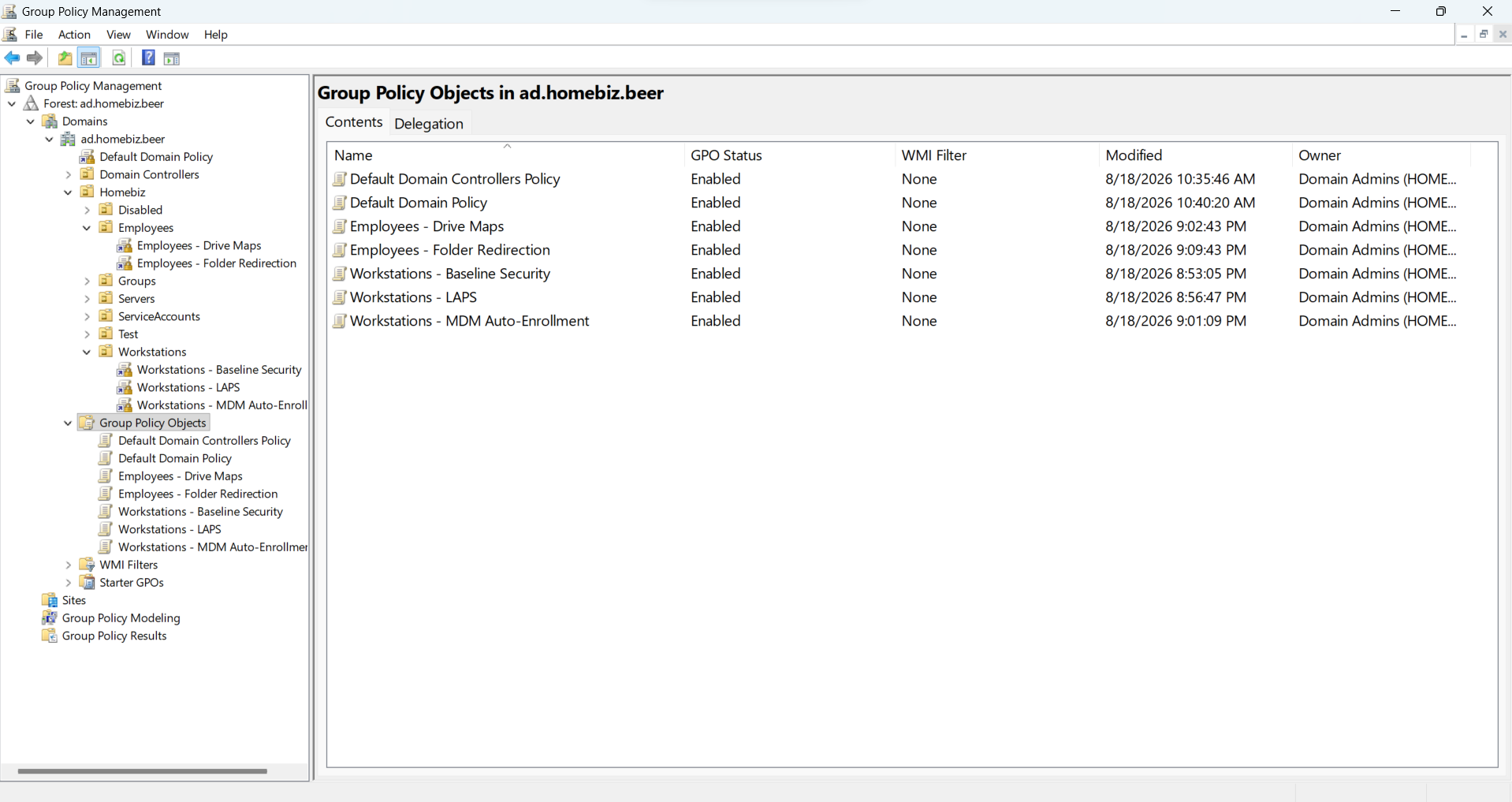
| GPO | Link | Contents |
|---|---|---|
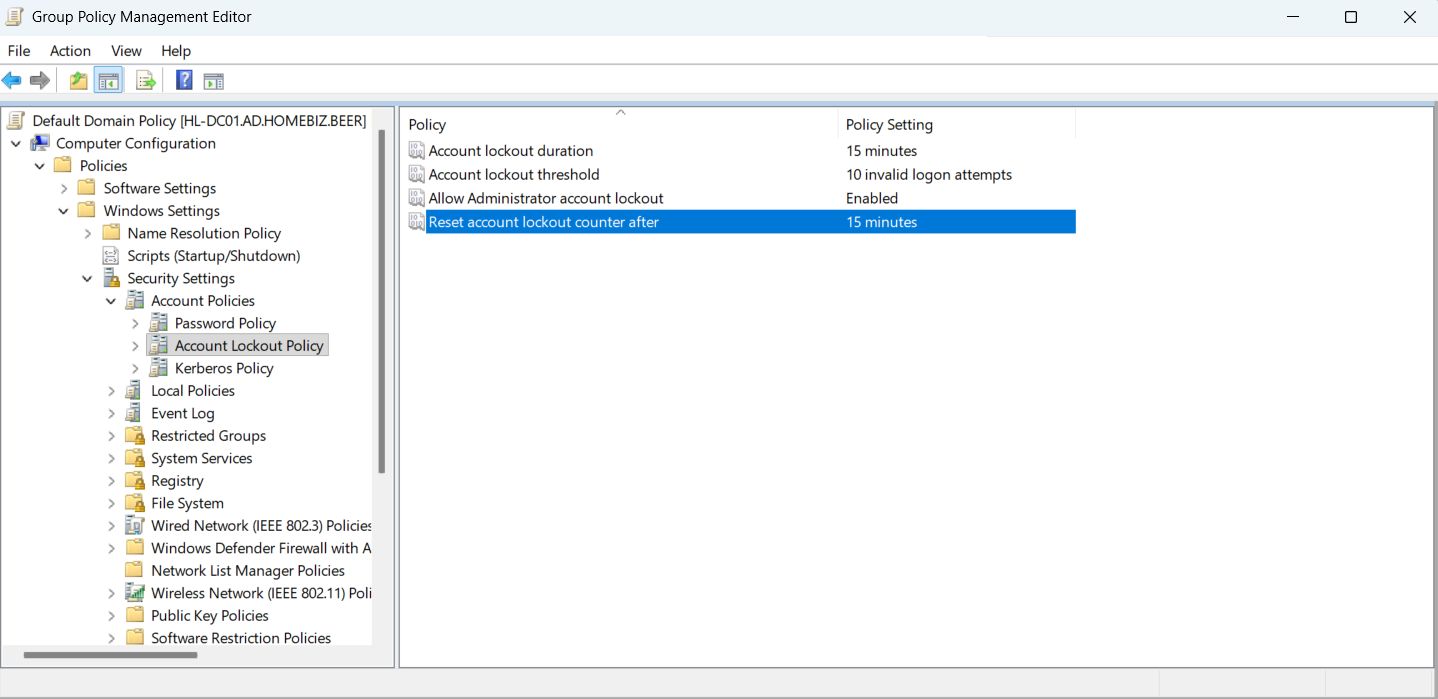
| Default Domain Policy | Domain root | Password and lockout policy only |
| Workstations – Baseline Security | OU=Workstations |
Logon banner, guest disabled, wait-for-network at logon |
| Workstations – LAPS | OU=Workstations |
Local admin password randomization with AD escrow |
| Workstations – MDM Auto-Enrollment | OU=Workstations |
Automatic Intune enrollment via Entra credentials |
| Employees – Drive Maps | OU=Employees |
Drive maps, action = Update, item-level targeting per group |
| Employees – Folder Redirection | OU=Employees |
Documents, Desktop, Pictures to a dedicated server root |
Hybrid identity
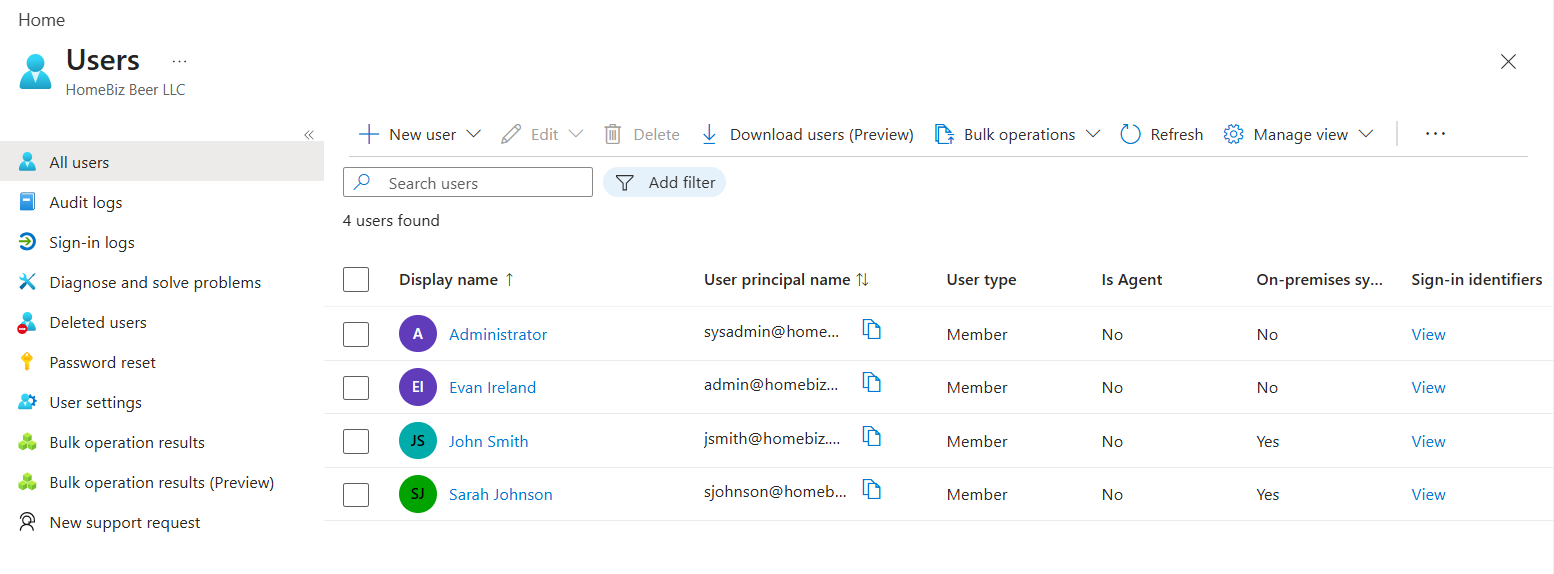
Entra Connect Sync with Password Hash Synchronization, Seamless SSO, and OU-scoped filtering. Connect Sync was selected over Entra Cloud Sync for one determining reason: Cloud Sync does not synchronize device objects, and hybrid Entra join requires the computer object to reach Entra ID before a device can register.
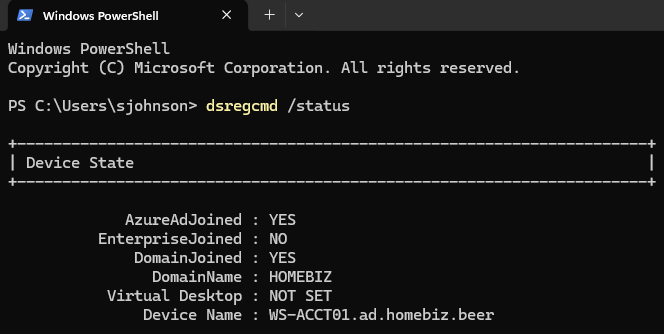 Client showing both domain join and hybrid Entra join complete.
Automation
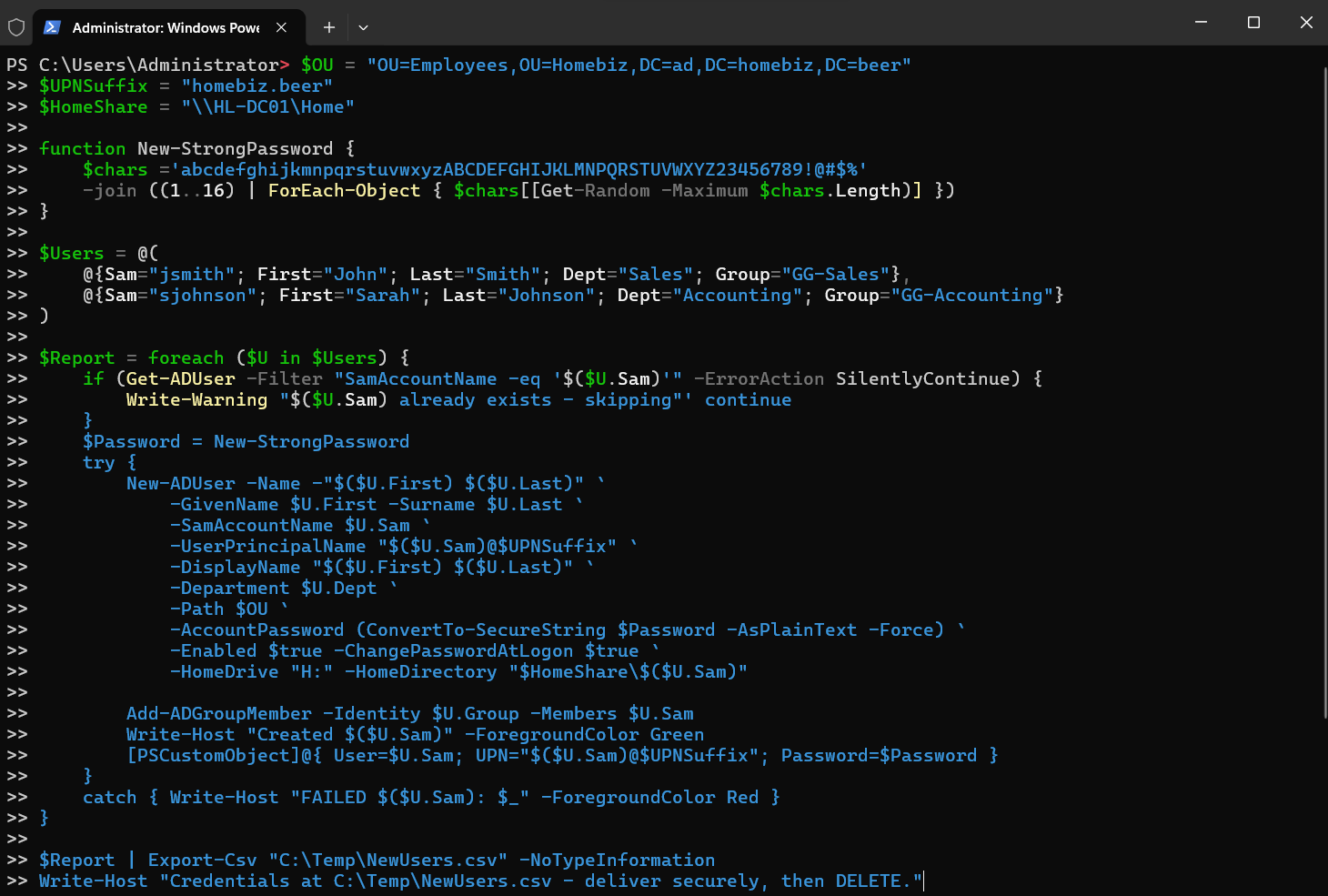
User provisioning was scripted with per-user generated passwords, forced change at first logon, home directory creation, and automatic group placement. Existence checks and per-user error handling were included so that a partial run can be repeated safely rather than cleaned up by hand.
Results
| Dimension | Round 1 | Round 2 |
|---|---|---|
| Domain naming | .local – required rewriting every UPN later |
Routable subdomain, correct from the start |
| Order of work | Discovery order, constant rework | Build order, no rework |
| OU structure | Collided with built-in containers | Single organizational OU with container redirection |
| Group Policy scoping | Linked to a groups OU – never applied | Linked where objects live – applied first attempt |
| Permissions | Two administrative lockouts | None; access verified positively and negatively |
| Drive mappings | Replace action froze both clients during policy refresh |
Update action, no incidents |
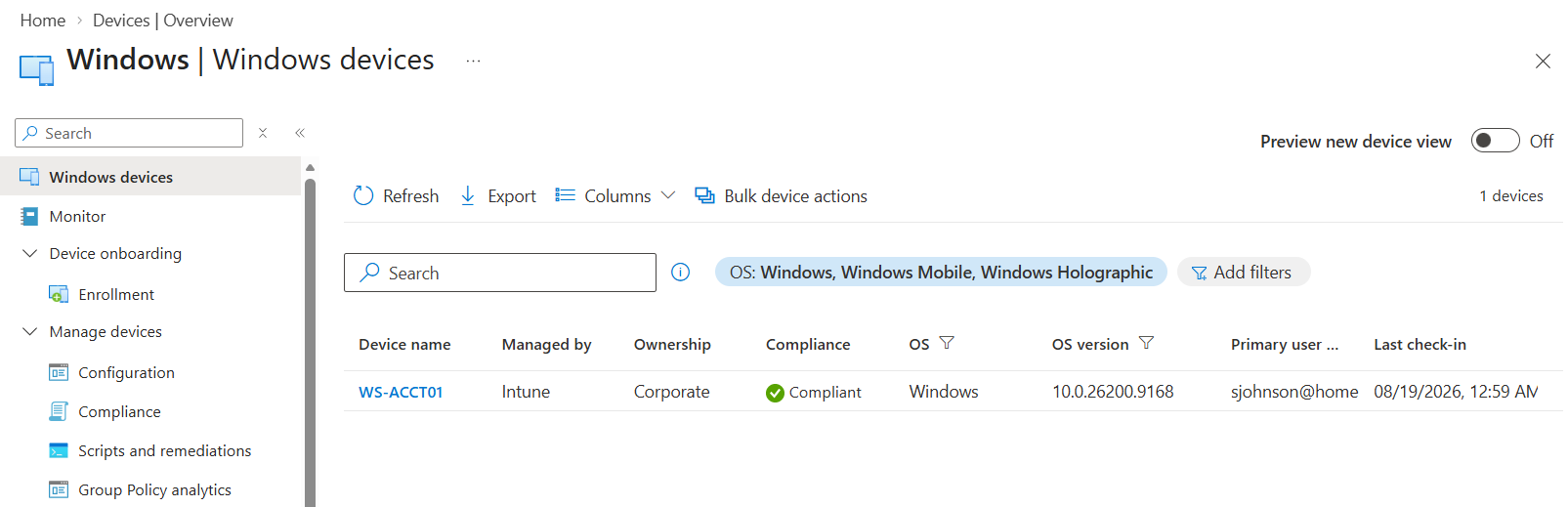
| Device management | One device permanently limited by an ad-hoc enrollment shortcut | Corporate ownership via Group Policy enrollment |
| Privileged access | One global administrator used for everything | Break-glass account separated from daily admin; Azure RBAC scoped to Contributor |
| Backup / NTP / Recycle Bin | Never configured | Configured in Phases 2–3 |
| Elapsed | Several days | 5h 58m |
Problems encountered and resolved
Three of them were worth the time it took to run them down.
Domain join failing against a reachable domain controller
Symptom. An Active Directory Domain Controller for the domain could not be contacted. DNS was correctly configured and the DC responded to ping.
Diagnosis. The client had been imaged in a different time zone and its clock was an hour off. Kerberos rejects authentication with more than five minutes of skew; the client, unable to complete authentication, reported the problem as an inability to locate a domain controller.
Resolution. Correct the time zone. A four-item pre-join verification block was added to the playbook – DNS server, SRV record resolution, clock skew, and port reachability – because ping tests none of the mechanisms a domain join actually uses.
Hybrid Entra join failing after successful directory synchronization
Symptom. Users synchronized to Entra ID correctly. Clients reported AzureAdJoined : NO with error_missing_device.
Diagnosis. Reading the full diagnostic output revealed Server operation: DeviceRenew. The client was attempting to renew a registration using a locally cached device ID rather than create a new one. That pointed at two separate faults: the Service Connection Point had never been written to Active Directory, and the client was holding stale registration state from an earlier attempt.
The SCP step is an easy one to miss, and I would not put the whole failure down to carelessness. “Configure device options” is not part of the linear Entra Connect installation wizard; it is a separate task chosen on a later launch. The installer finishes, reports success, and synchronizes every user flawlessly with hybrid join never configured at all.
Resolution. Configured the SCP, verified it by querying the object’s keywords attribute directly, forced a full synchronization (a delta cycle will not move an object that has not changed), cleared client state with dsregcmd /leave, and re-registered.
 Verifying the Service Connection Point returns the expected tenant identifier and name.
Playbook change. This is now a mandatory verification gate with a copy-paste command and its expected output, positioned before any client work begins.
Intune enrollment failing silently
Symptom. Devices hybrid joined successfully but never appeared in Intune. No error surfaced in any console.
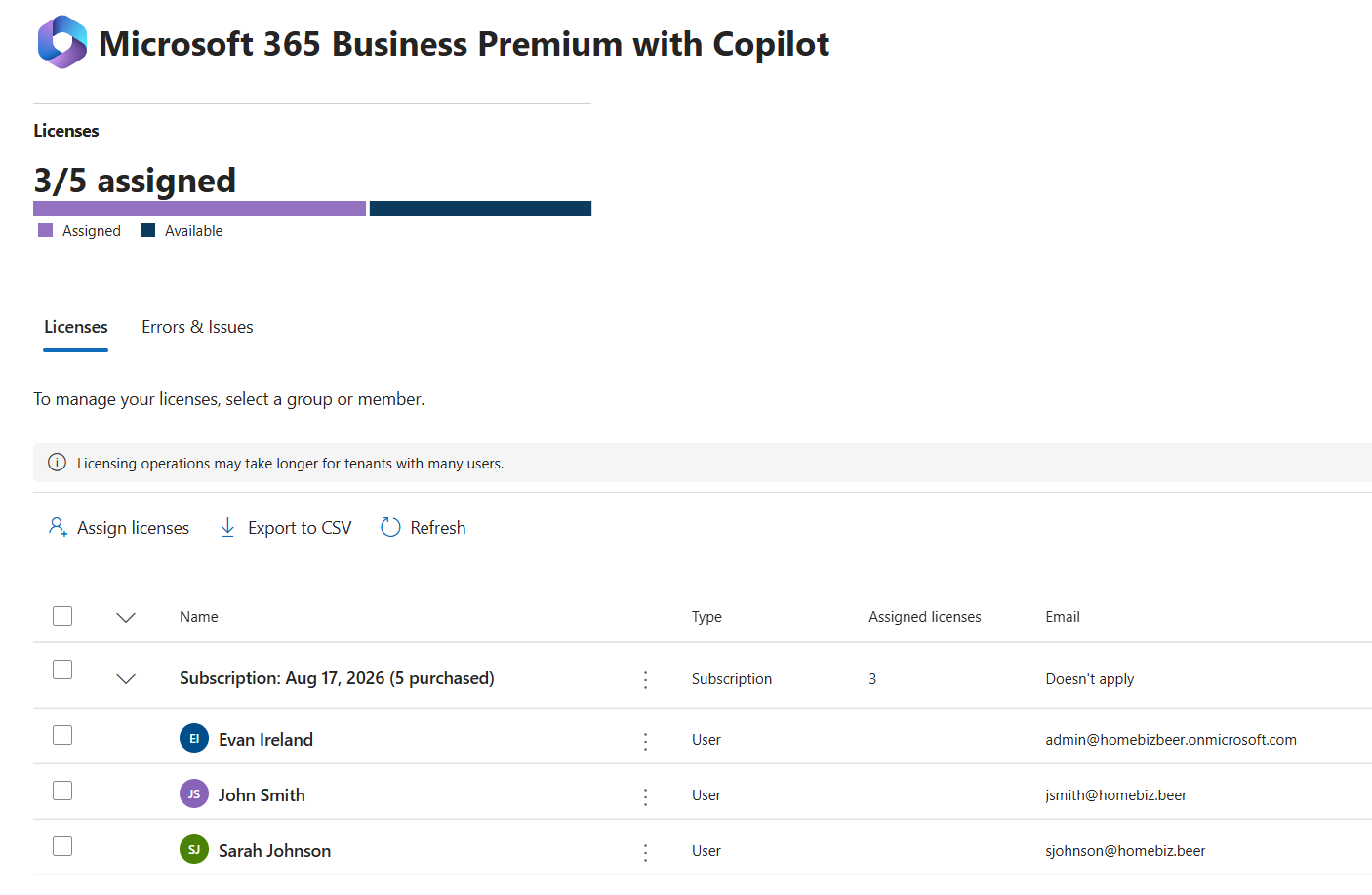
Diagnosis. Group-based licensing had been configured. The licensing group existed, the subscription SKU was assigned to it, and no members had ever been added, so the group licensed NOBODY. Because the MDM auto-enrollment policy runs in the user’s security context, an unlicensed user cannot enroll a device, and Intune reports nothing at all rather than a licensing error.
Resolution. Nested the synchronized GG-AllEmployees group into the cloud licensing group, so that every future user inherits a license through the same chain that grants file access.
Artifacts produced
| Document | Contents |
|---|---|
| Build & Troubleshooting Playbook (48 pp.) | 15-phase build sequence, 23 root-cause findings, 8 standard operating procedures, an assessment methodology for inherited environments, command reference, and error-to-cause tables |
| Decommission Runbook (12 phases) | Full teardown in dependency order, covering the failure modes that make cloud objects unrecoverable if sequenced incorrectly |
| Build log | Phase-by-phase notes with timings, decisions, and errors, captured live |
The playbook was written to do two jobs: build a greenfield environment, and assess an inherited one. That second half – discovery scripting, a prioritized findings table, and triage decision trees for the most common tickets – is there because inheriting an undocumented environment is the more common professional situation, and/or the one nobody’s written a tutorial for.
Skills demonstrated
Windows Server – AD DS, DNS (forwarders, reverse zones, scavenging), DHCP, file services, NTFS and share permissions, Access-Based Enumeration, Windows Server Backup, DC promotion and replication, FSMO roles, Windows Time Service
Group Policy – OU-based scoping, security filtering, Group Policy Preferences, item-level targeting, drive mapping, Folder Redirection, LAPS, MDM auto-enrollment, gpresult analysis
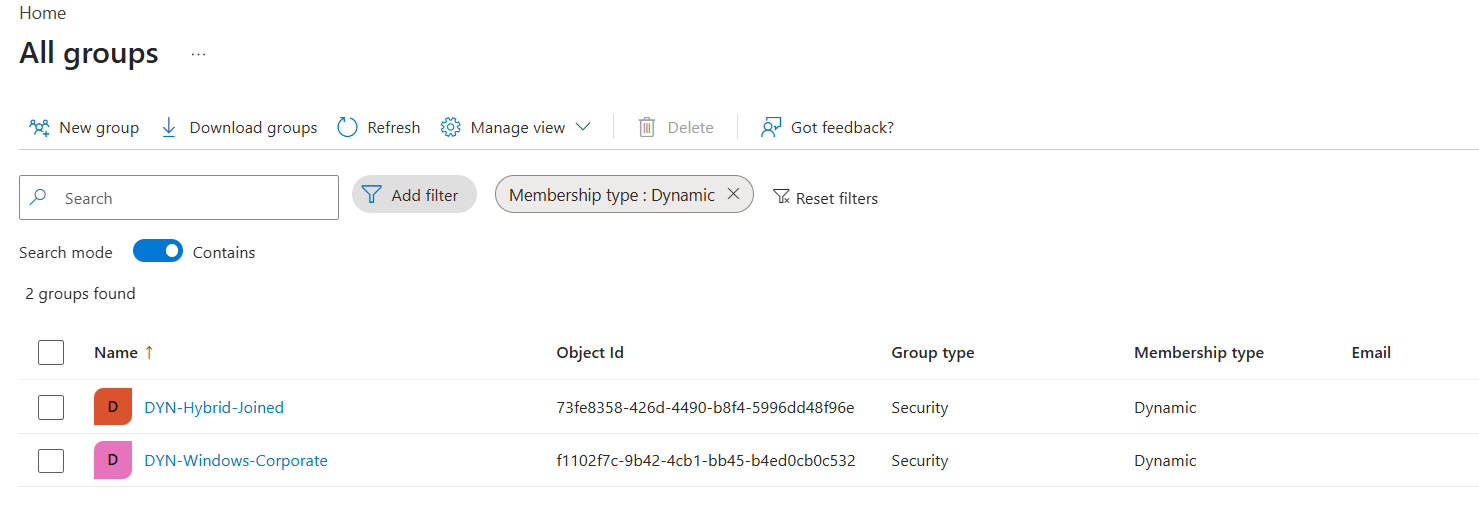
Microsoft 365 / Entra ID – tenant configuration, custom domain verification, Entra Connect Sync, password hash synchronization, Seamless SSO, hybrid Entra join, Service Connection Point, group-based licensing, dynamic device groups, break-glass account design
Intune – automatic enrollment, device ownership, application deployment, compliance and configuration policy
Azure – subscription and RBAC model, Azure Arc onboarding, separation of Entra directory roles from Azure resource roles
PowerShell – Active Directory module, SMB and DHCP cmdlets, scripted bulk provisioning with error handling, Microsoft Graph module
Networking – VLAN segmentation, static addressing, DHCP option delivery, DNS architecture and split-brain avoidance, IPv6 considerations for domain controllers
Practice – deliberate design ahead of execution, documented build sequences, verification gates, root-cause analysis, after-action review, and planned decommissioning
Next iteration
Carried forward, in priority order:
- Complete the redundancy wiring – cross-pointed DNS between domain controllers, DHCP failover, and a failover test run from an account with no cached credentials on the test machine
- Correct the DHCP scope so that the pool does not overlap statically assigned infrastructure addresses
- Test the System State restore, since a backup is a hypothesis until something has been restored from it
- Intune compliance policy and Conditional Access, with the break-glass account excluded
- Convert the playbook’s inline scripts into a parameterized toolkit – configuration data separated from logic, CSV input, and dry-run support
- Rebuild from the playbook alone, unassisted and timed, as a test of retention rather than of reference
Screenshots
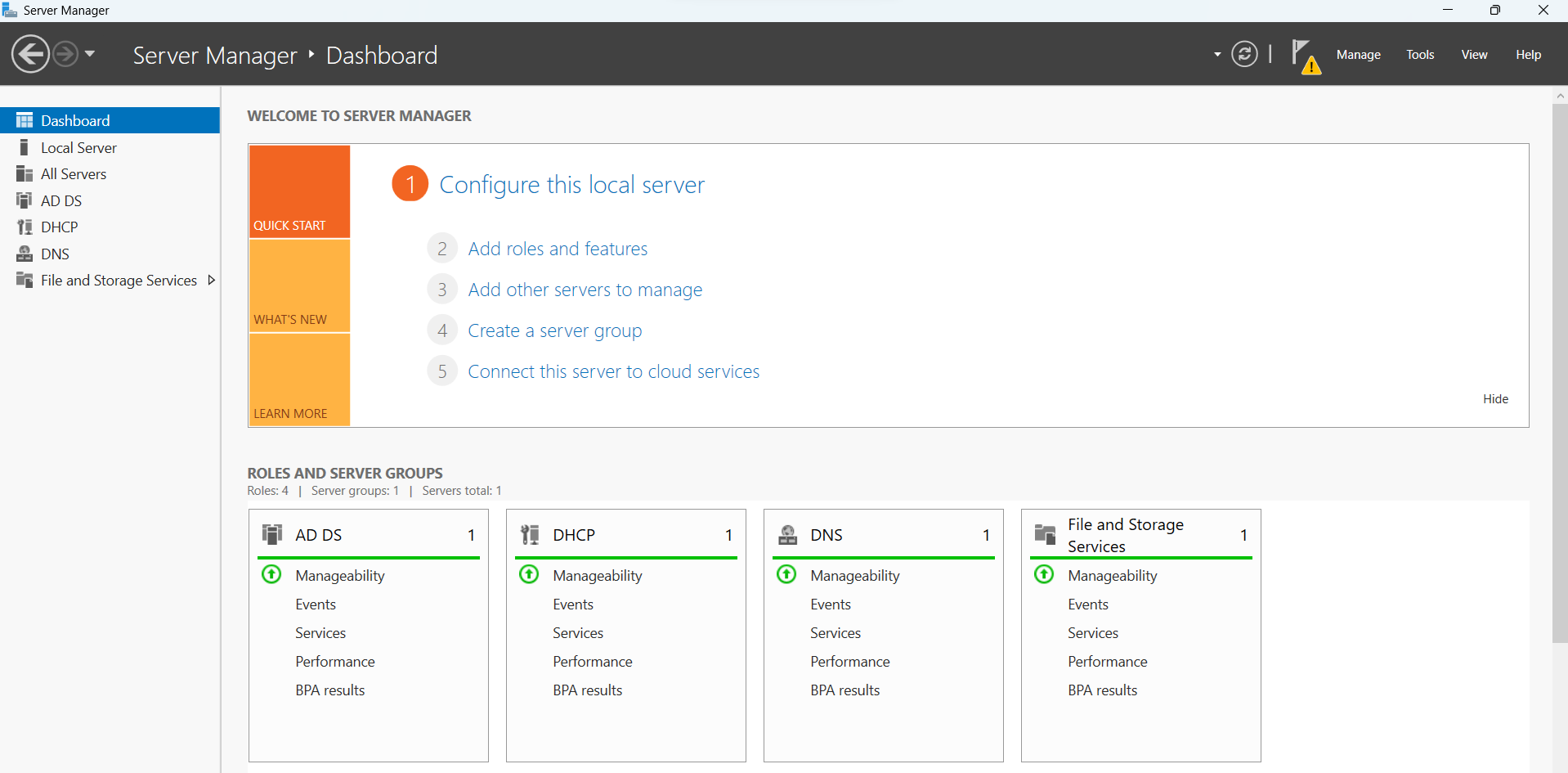
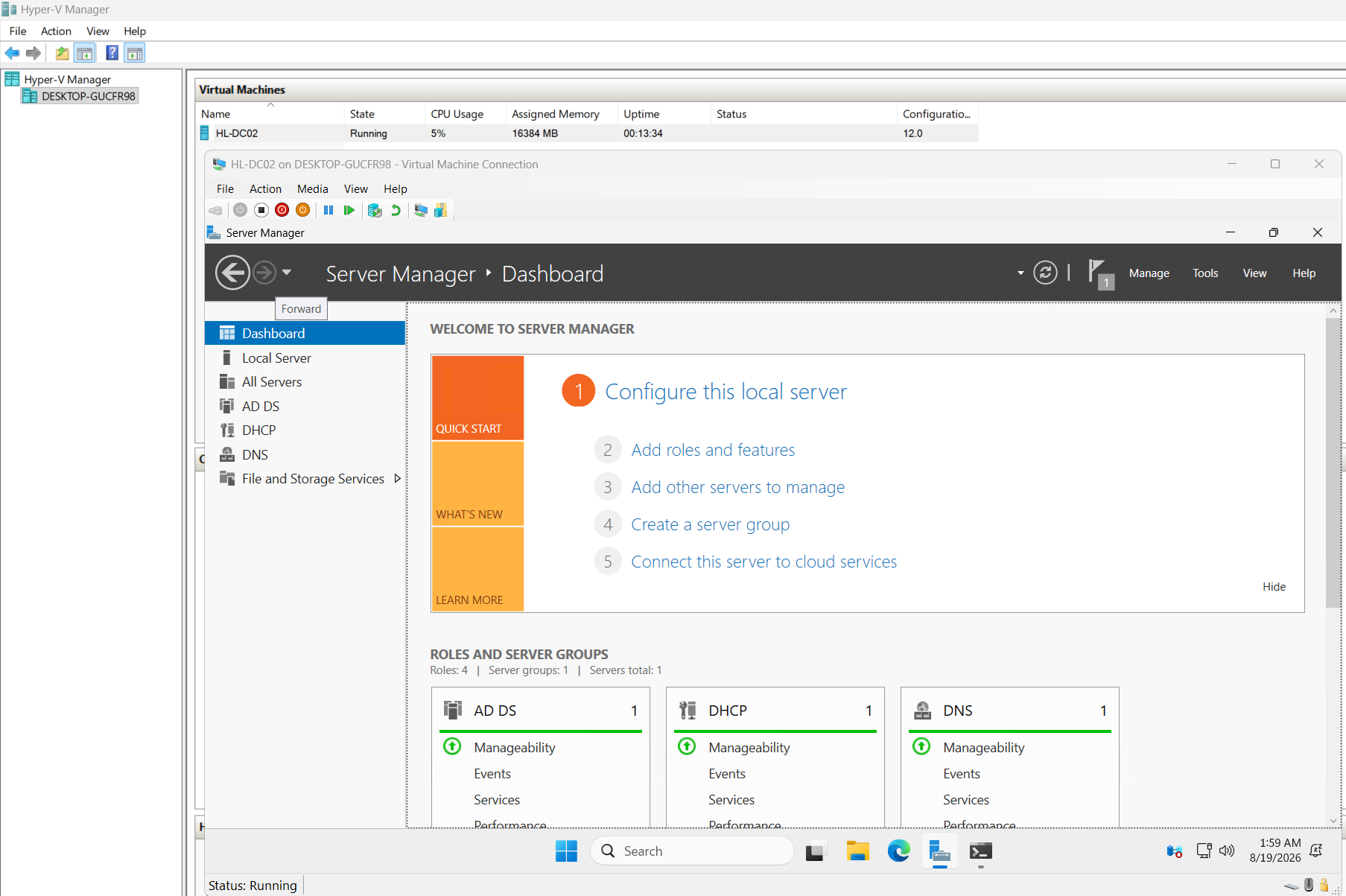
The full capture set, ordered by build phase. Any image opens full size when clicked.
This project was built on personally owned hardware in a home lab. No client or employer data was involved at any stage. All accounts, domains, and data are fictional.
