I had a domain controller sitting on a desk, a spare small-form-factor office PC, and a box of parts for a machine I had not built yet. Three separate computers doing three separate things, none of them backed up, and a home lab that had to be destroyed every time I wanted to build something new. This is the writeup of turning that into one system.
The narrative version, with the two days DNS did not work and how that got solved, is in the companion post. This page is the technical record.
Problem
The previous environment placed a Windows Server domain controller on bare metal, with a second controller virtualized on a workstation. That arrangement carried three defects.
- The laboratory and the household shared hardware. Rebuilding the laboratory required taking down anything else running on the same machine.
- No backup existed for any of it. Recovery from a failed disk meant rebuilding by hand from documentation.
- Windows Server evaluation licensing imposed a 180-day clock on the hosts themselves, rather than on disposable guests.
The requirement was a platform that could carry permanent household services and a disposable laboratory at the same time, without the second endangering the first.
Hardware
| Node | Machine | Processor | Memory | Storage |
|---|---|---|---|---|
| px-01 | HP ProDesk 400 G4 DM | Intel i3-8100T, 4c/4t, 35 W | 32 GB DDR4 | 512 GB NVMe, 1 TB SATA SSD |
| px-02 | HP ProDesk 400 G5 SFF | Intel i5-8500, 6c/6t, 65 W | 8 GB DDR4 | 256 GB NVMe |
| px-03 | Custom build, ASUS Prime B550M-A | AMD Ryzen 7 5800XT, 8c/16t, 105 W | 64 GB DDR4 | 1 TB NVMe, 3 TB SATA HDD |
Two nodes are used business desktops. The third was assembled for this project.
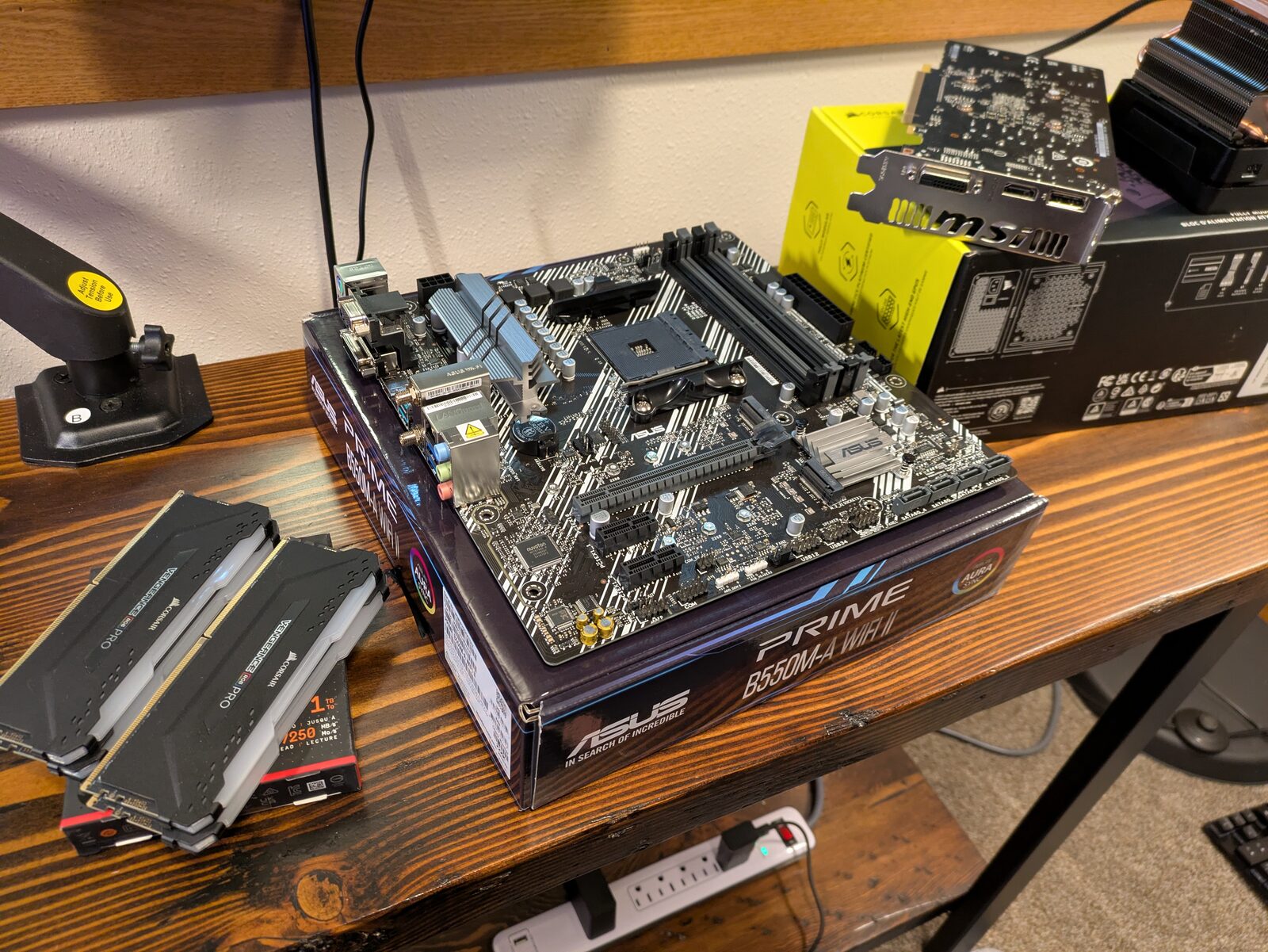 Parts for the new node.
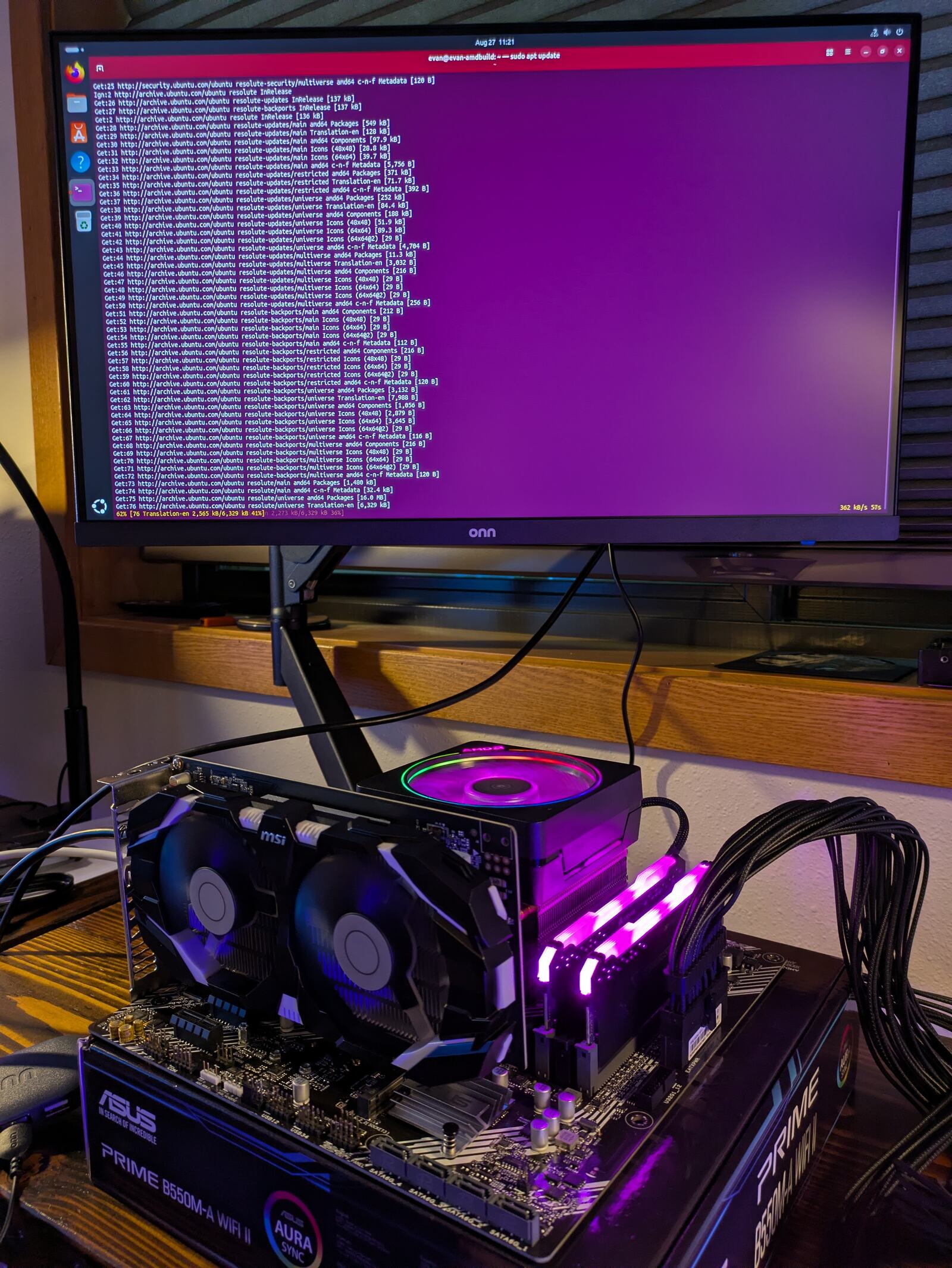 Bench tested outside the case before assembly.
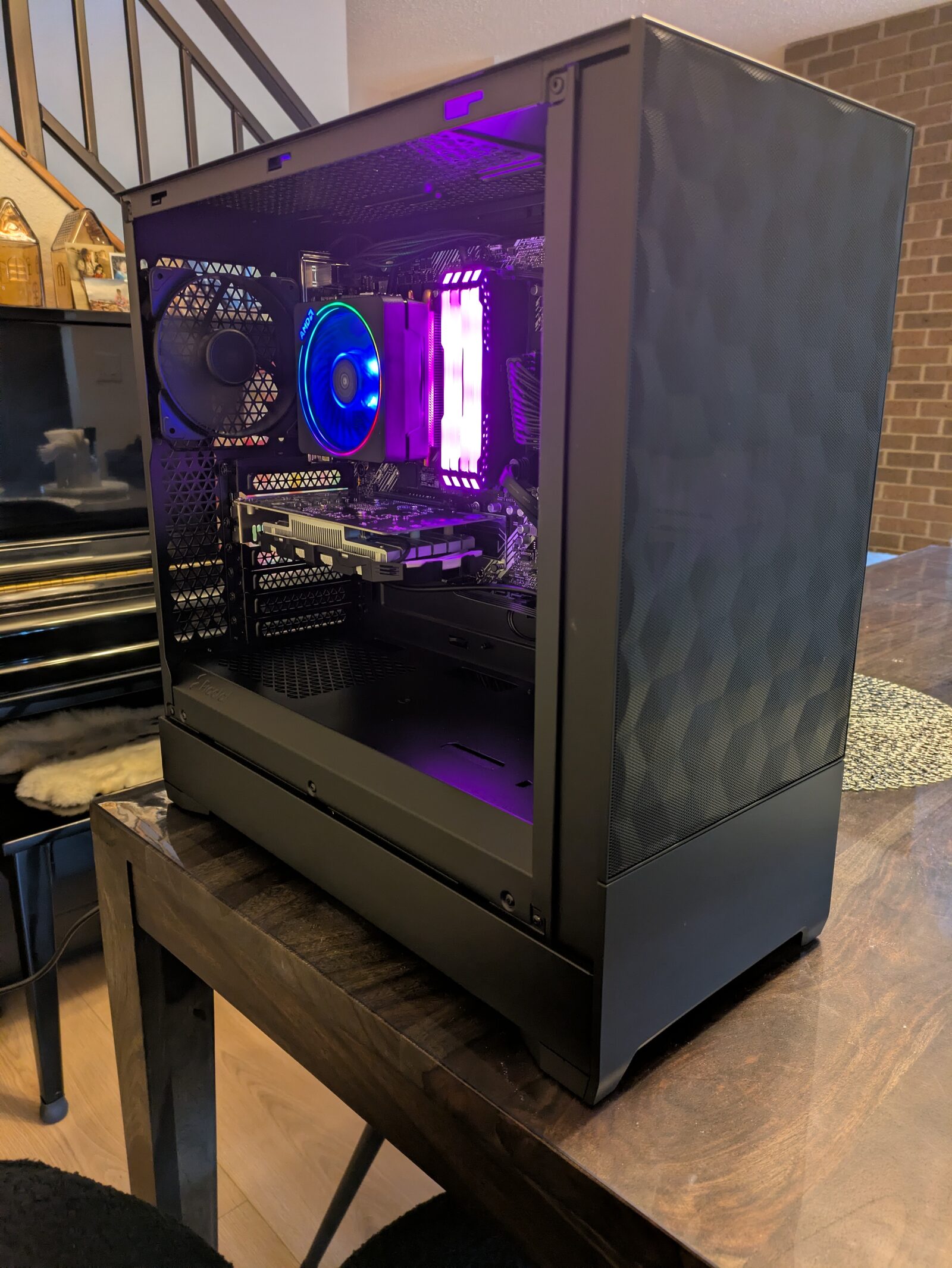 The completed build.
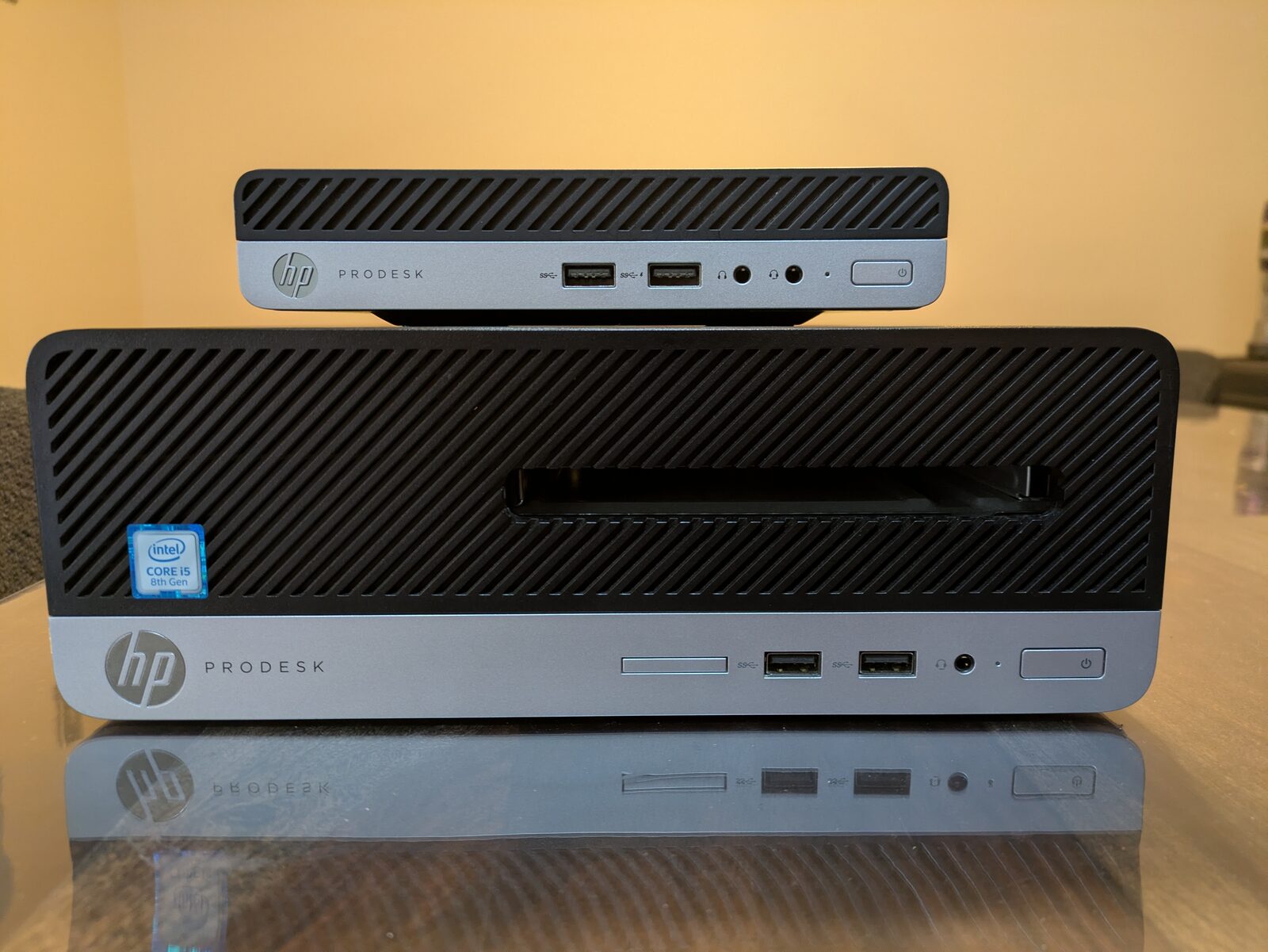 The two used ProDesk nodes.
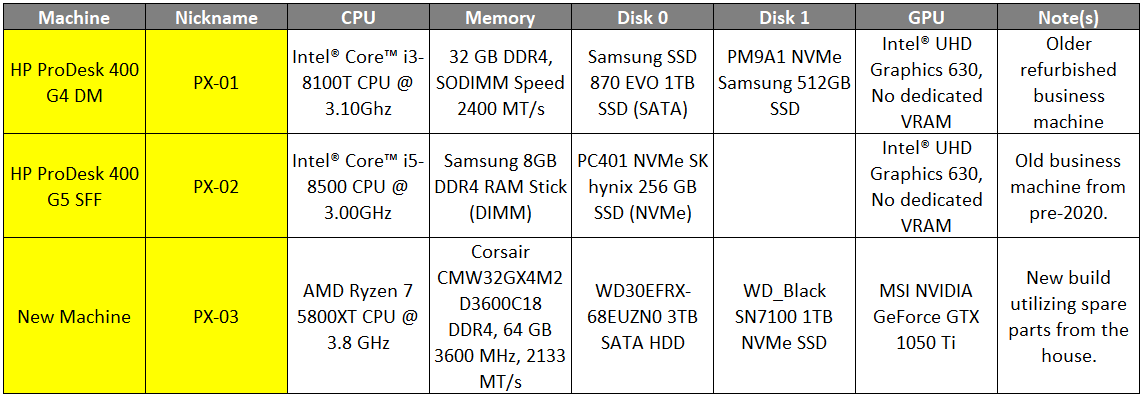 Hardware across all three nodes.
Architecture
Node Roles
Three separate machines were retained rather than consolidating onto the single node with sufficient capacity to run everything. This is an availability decision, not a capacity decision. The 64 GB node could carry every service listed here. It is also the node that gets powered off between laboratory cycles, and household DNS cannot depend on a machine that is deliberately switched off.
| Node | Role | Basis |
|---|---|---|
| px-01 | Always-on household services | Most memory of the two low-power nodes, and a 35 W processor - the cheapest of the three to run continuously. Two physical disks separate the operating system from data |
| px-02 | Backup and third quorum vote | Holds no primary data, which makes it the correct location for backups of data held elsewhere. Its requirement is disk capacity, not compute |
| px-03 | Laboratory and compute | The only node able to hold a multi-guest Windows environment. Powered off between cycles by design |
Network
The nodes are located in a basement utility room for thermal reasons. The building’s coaxial service and router are on the second floor. The link between them is a powerline pair delivering approximately 30 Mbit/s.
2nd floor:  Firewalla router -> ASUS EBP15 managed switch
                                     |  (port untagged, server VLAN)
                             powerline ==== ~30 Mbit/s ==== powerline
                                                                |
Basement:                                    TP-Link TL-SG605 unmanaged switch
                                                                |
                                              px-01          px-02          px-03
The server VLAN is delivered untagged to the basement. Powerline adapters and unmanaged switches cannot be relied upon to pass 802.1Q tags cleanly, and delivering the VLAN untagged at the managed switch means every device downstream sees plain Ethernet.
The consequence was accepted deliberately: the nodes are single-VLAN, and no guest on them can be tagged onto a different network. Services that must be reachable from other networks are reached by routing at the firewall rather than by bridging.
The 30 Mbit/s constraint was assessed against each traffic class rather than treated as a single limitation:
| Traffic | Crosses the powerline | Effect |
|---|---|---|
| Corosync cluster heartbeats | No - all three nodes share the basement switch | None. The link does not endanger cluster quorum |
| Backups and migrations | No - node to node on the same switch | None |
| Management and package updates | Yes | Tolerable |
| Household DNS queries | Yes | Small packets; latency rather than throughput is the exposure |
| File share traffic | Yes | Approximately 3.75 MB/s ceiling. The material limitation |
Corosync is latency-sensitive, and a jittery link carrying cluster heartbeats would produce spurious quorum loss. Establishing that heartbeats never traverse the powerline removed the largest risk the topology appeared to carry.
Addressing
Static addresses were assigned outside the DHCP range, which was narrowed from its default span of the entire subnet. The default range overlapped every static address in the plan, including all three node addresses. Two addresses were reserved for the laboratory domain controllers so that existing build automation remains valid.
Cluster
Formation Timing
Cluster formation was performed immediately after the third installation, before any guest existed.
Common guidance recommends deferring cluster formation until the layout is settled, on the
correct observation that leaving a cluster is considerably harder than joining one. That
guidance is outweighed by a mechanical constraint: pvecm add refuses to join a node that
holds any guest. Deferring therefore does not defer the cost - it creates one, because
every guest built in the interim must be destroyed or manually migrated before its node can
join.
A second constraint determined which node created the cluster. pvecm add replaces the
joining node’s /etc/pve in its entirety. The creating node’s configuration is the copy
that survives, so the node that would accumulate configuration first was the node selected
to create.
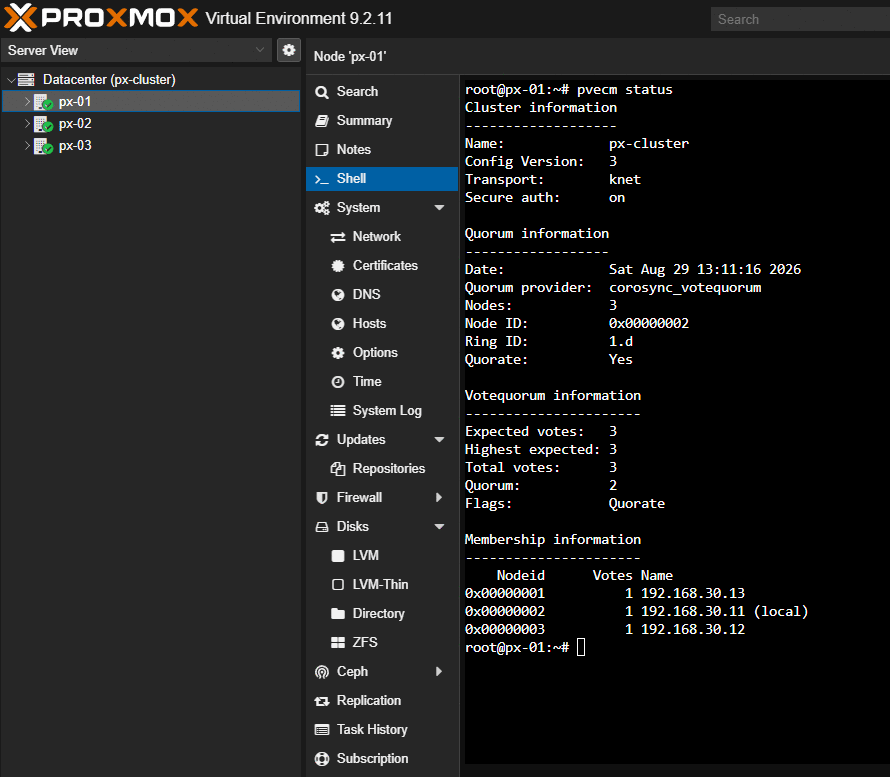 Three nodes, three votes, quorum of two.
Quorum
Three nodes produce an expected vote count of three and a quorum of two. One node may be powered off freely, which is the property the laboratory node requires.
The negative case was recorded rather than discovered: a second node becoming
unavailable while the first is off drops the cluster below quorum. Running guests continue;
/etc/pve becomes read-only and no guest may be started, stopped, or reconfigured until a
second node returns.
Live migration is available between the two Intel nodes. The AMD node supports offline migration only - a live migration fails on processor feature mismatch.
High Availability
High availability was left disabled deliberately.
Without it, loss of quorum renders the cluster configuration read-only and is self-correcting. With it enabled, a node that loses quorum triggers a watchdog self-fence and reboots itself. On a cluster with a single corosync link and a node that is deliberately powered off, high availability converts a routine and harmless condition into unexpected reboots. High availability addresses shared storage with redundant networking. This cluster has neither, by design.
Storage
Filesystem Selection
ext4 with LVM-thin was selected over ZFS on all three nodes.
ZFS’s defining capability is self-healing from redundancy. Every node here is single-disk, so there is nothing to heal from - what remains is checksums that detect corruption which cannot be repaired. ZFS’s adaptive replacement cache additionally defaults to consuming up to half of system memory, which is unacceptable on the 8 GB node. LVM-thin already provides snapshots and thin provisioning, which are the features actually exercised.
The decision is reversible without reinstalling. Proxmox replication requires ZFS storage, not a ZFS root, so a pool can be created on a secondary disk if replication is later wanted.
Layout
| Node | Storage | Type | Capacity | Content |
|---|---|---|---|---|
| px-01 | local |
Directory | 93.9 GiB | ISO images, container templates |
| px-01 | local-lvm |
LVM-thin | 348.8 GiB | Guest disks |
| px-01 | data-1tb |
Directory | 1 TB SSD | Disk images - file server data |
| px-02 | local-lvm |
LVM-thin | 141.5 GiB | Backup server and its datastore |
| px-03 | local-lvm |
LVM-thin | 794.3 GiB | Laboratory guest disks |
| px-03 | bulk-3tb |
Directory | 2.68 TiB | ISO images, templates, backups |
Directory storage was required for the bulk volume for a mechanical reason rather than a preference: only directory storage can hold ISO images, container templates, or backup files. LVM-thin holds block devices for guest disks and nothing else.
 Cleaning up a disk before it enters the pool.
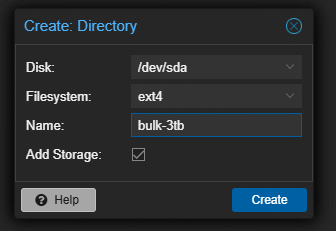 Adding directory storage for ISOs and templates.
 Disks formatted and ready.
Node Restriction
Storage configuration is cluster-wide. A storage backed by a local disk on one node, left unrestricted, is advertised to every node, and nodes without that disk report it as failing permanently.
Each local storage was restricted to its owning node with the shared flag unset. A storage
restricted this way reports disabled on nodes it does not belong to, which is the intended
outcome rather than a fault.
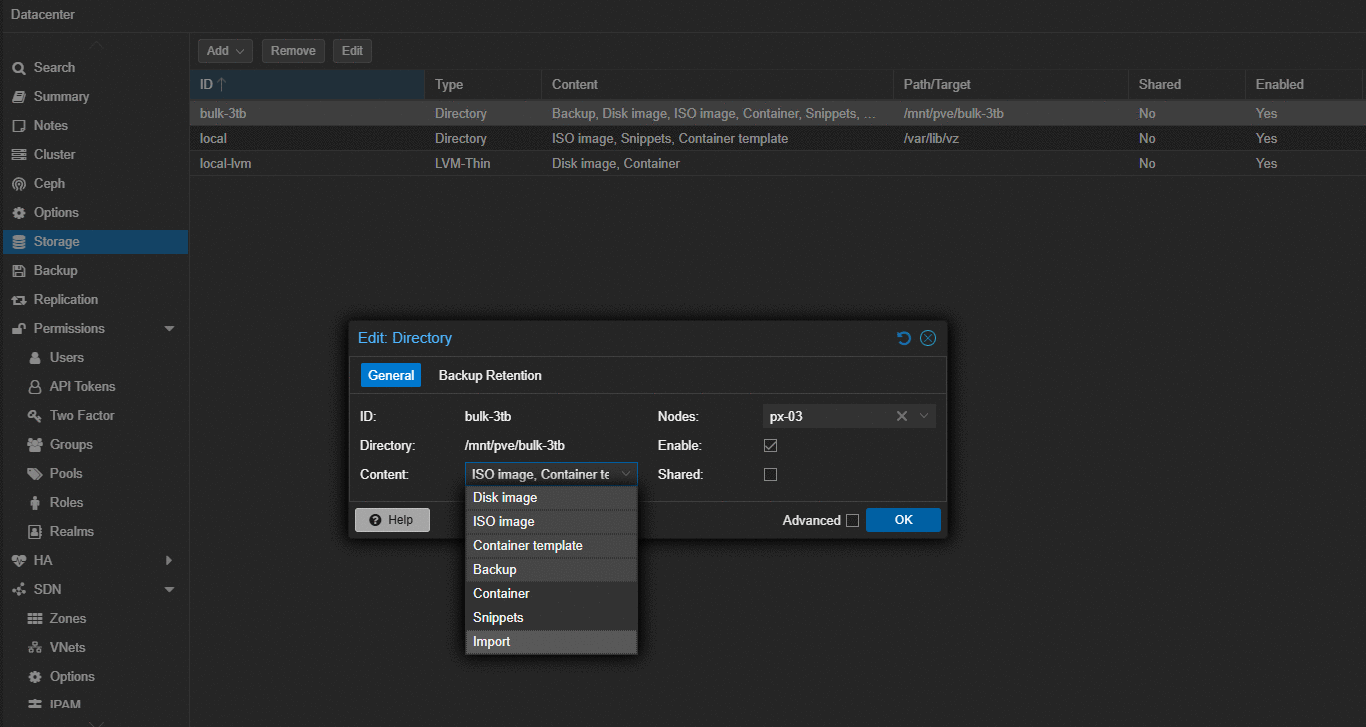 Restricting local storage to the node that actually has the disk.
Root Filesystem Protection
The installer produced a 96 GB root volume, not the approximately 232 GB that the
commonly cited hdsize/4 formula predicts. The local storage resides on the root
filesystem and inherits its capacity.
VZDump backup content was removed from local on all three nodes. A backup job directed
there would fill the root filesystem, and a full root filesystem on a hypervisor produces
failures that present as anything except a full disk.
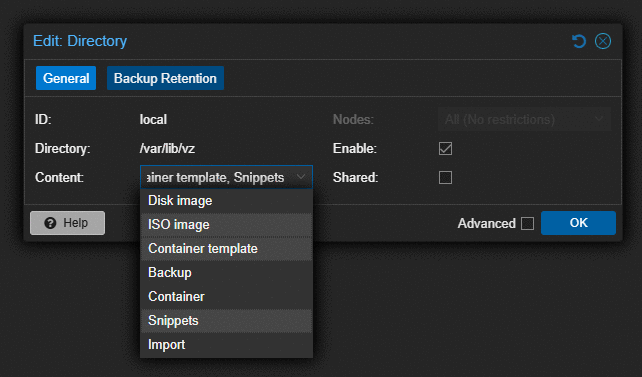 Closing backup content out of local storage.
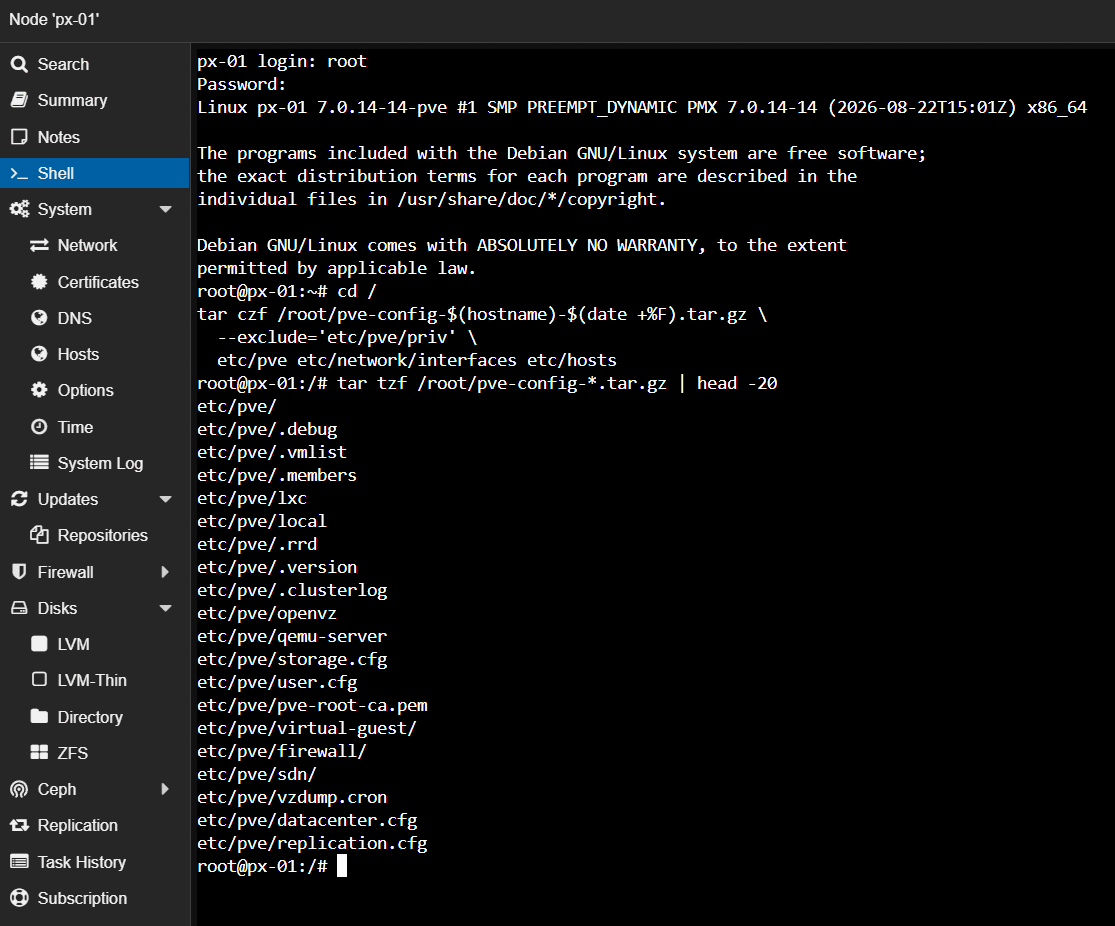 Storage configuration saved.
Recursive DNS
An Unbound validating recursive resolver was built in an unprivileged container on px-01, to sit behind a network-wide filtering resolver rather than forwarding to a public provider.
Unbound and the filtering layer were placed in separate containers rather than the single-host arrangement in the vendor documentation. The additional container costs approximately 50 MB of memory and returns two properties: each hop can be tested in isolation, so a resolution failure is immediately attributable to one service or the other, and the filtering layer can be rebuilt without taking recursion down with it.
Three lines of the reference configuration were changed for the split-host layout. The significant one:
access-control: 127.0.0.0/8 allow
access-control: 192.168.30.0/24 allow
access-control: 0.0.0.0/0 refuse
The reference configuration requires no access control because it answers only the loopback interface. Exposed on a network, a resolver that answers any source is an open resolver and is abused for DNS amplification attacks. The refuse line is the control; the allow lines are the exceptions.
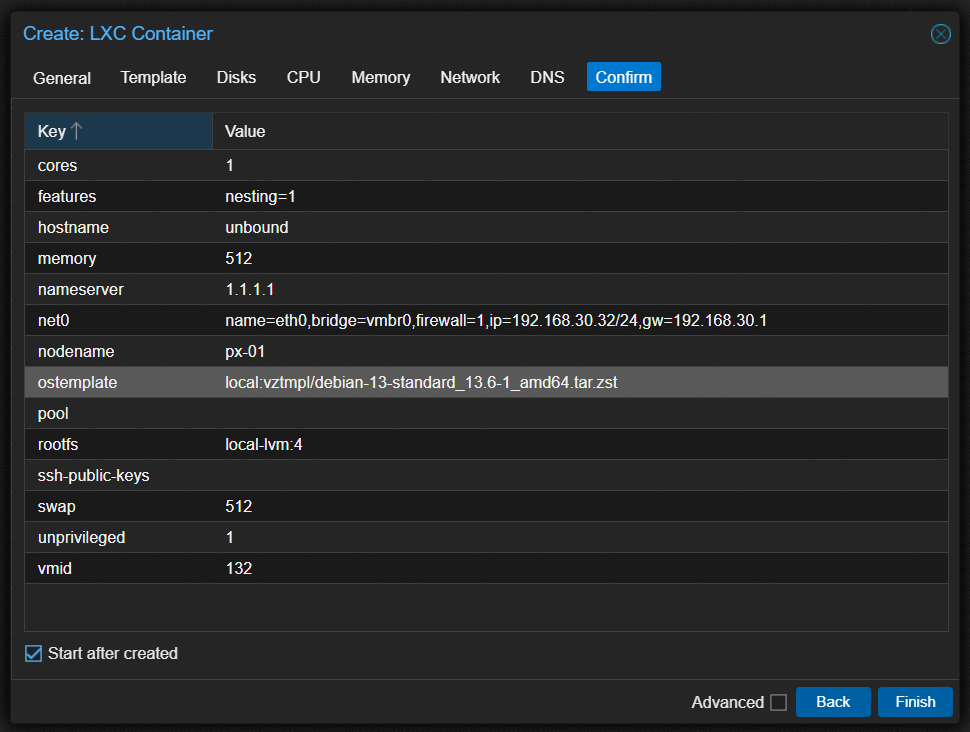 Creating the container for the Unbound resolver.
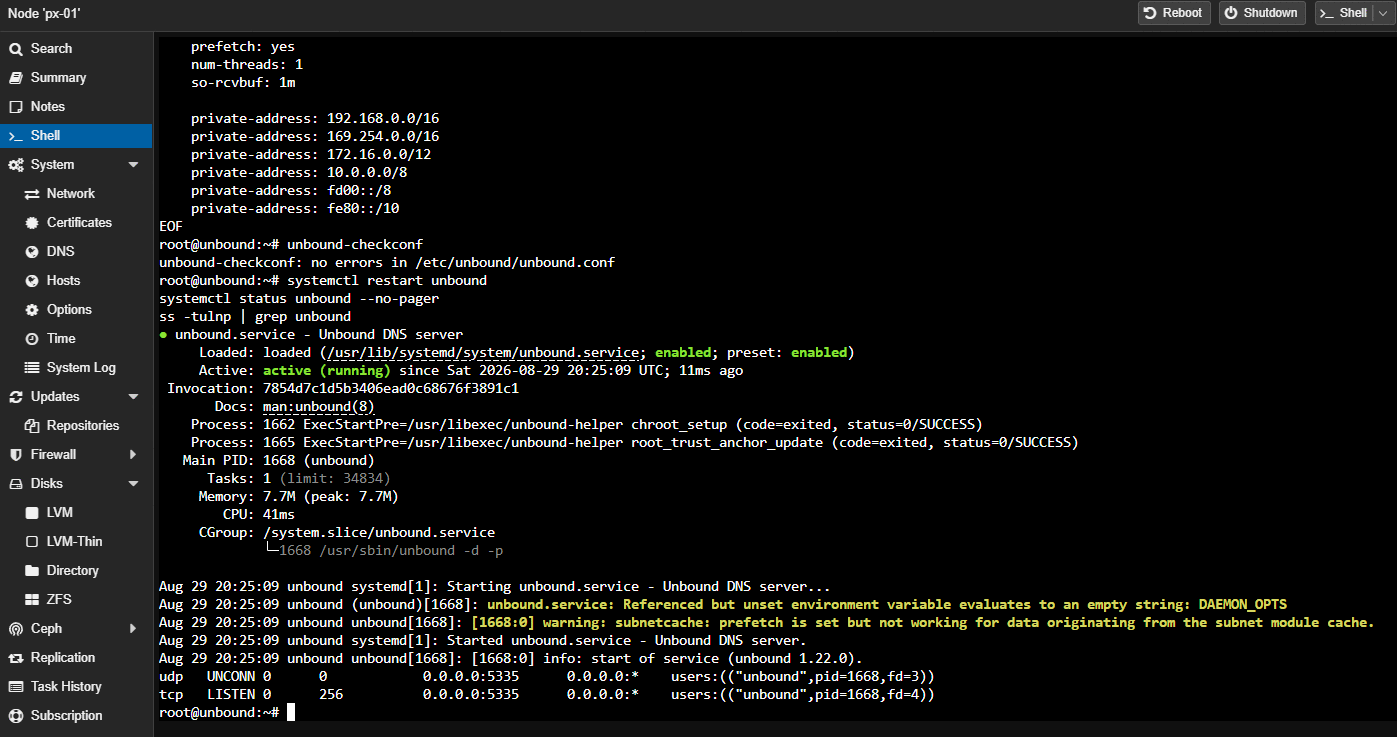 The Unbound configuration file.
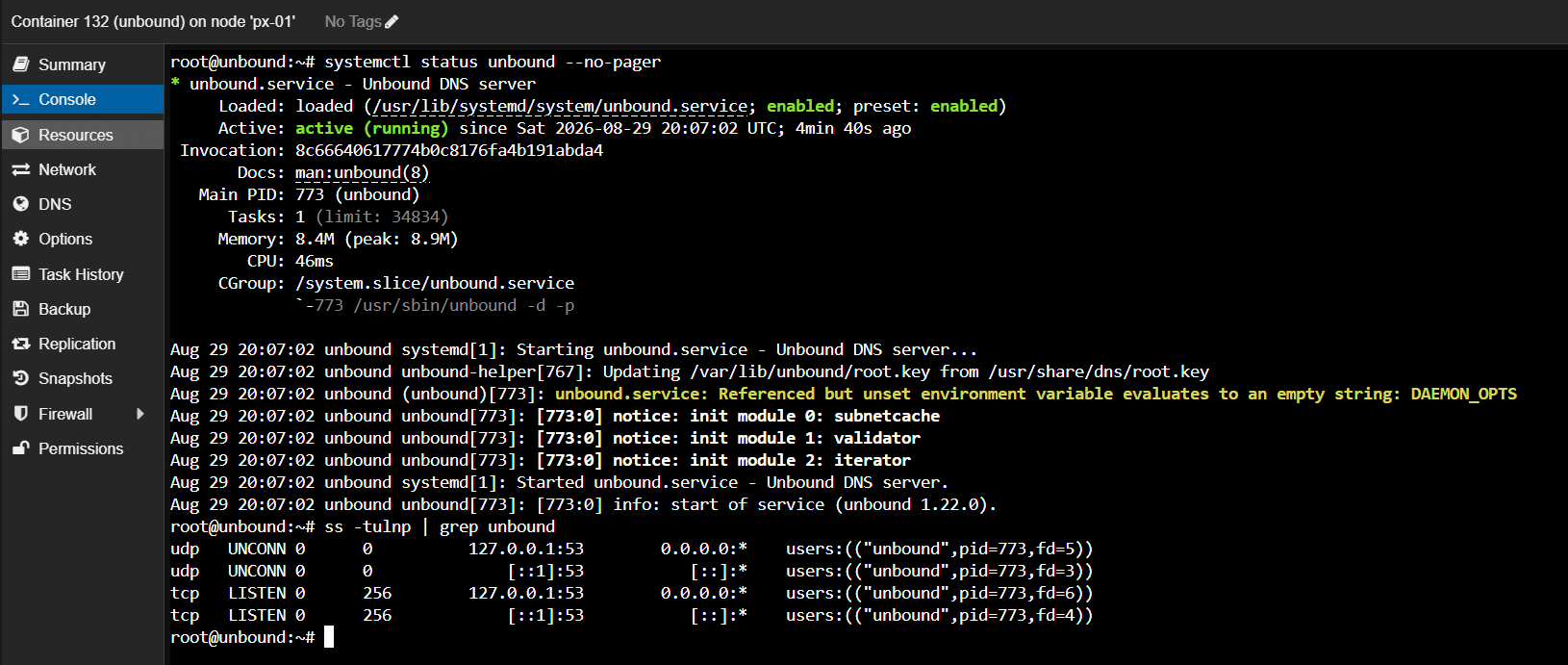 Unbound running in CT 132.
Interception Fault
Every query returned SERVFAIL after the resolver was started, with round-trip times indicating genuine network activity before failure.
Diagnosis proceeded by bisection rather than inspection. The first step separated resolution failure from validation failure:
dig @192.168.30.32 -p 5335 google.com +cd
+cd sets the Checking Disabled bit, performing recursion while skipping DNSSEC validation.
The query returned SERVFAIL, establishing that recursion itself was failing rather than
validation.
The second step queried a root server directly:
dig @198.41.0.4 . NS +norecurse
The response carried three independent indicators that it had not come from a root server:
| Indicator | Received | Expected from a root server |
|---|---|---|
| Status | REFUSED |
NOERROR |
| Flags | qr ra |
qr aa - authoritative, no ra |
| Answer records | 0 | 13 root nameservers |
| Round-trip time | 7 ms | 20-80 ms |
| Message size | 17 bytes | 800+ bytes |
The ra flag is conclusive on its own. It signals recursion available, and root servers
are authoritative-only - they never set it. A response bearing ra to a non-recursive query
did not originate from a root server. Serving the root nameserver records is additionally
the single function a root server exists to perform, so REFUSED is not a response it can
return.
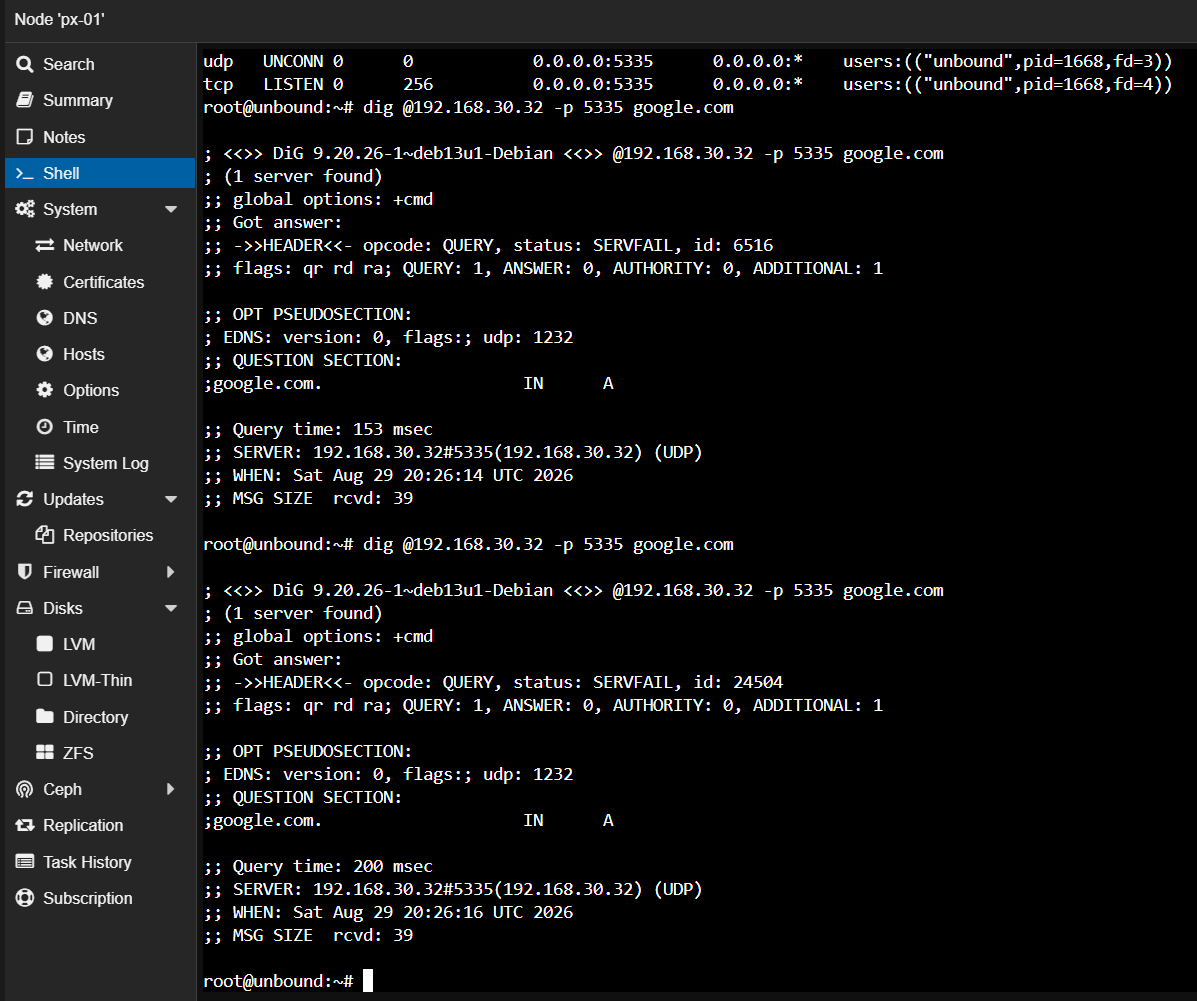 Every query came back SERVFAIL.
Cause. The router was transparently redirecting outbound port 53 through its own caching resolver. The resolver’s queries to authoritative servers were being answered by a forwarding resolver holding no root zone, so recursion failed at its first step and never progressed.
Resolution. The container’s address was exempted from the router’s DNS interception on a per-device basis, and the server network was excluded from DNS-over-HTTPS. No other host on the network was affected.
This corrected a sequencing error in the plan. DNS interception features are documented as affecting clients, and the plan therefore scheduled disabling them as part of a later client cutover. That is incomplete: a recursive resolver’s own outbound queries are DNS traffic. Interception starves the resolver itself, making the exemption a prerequisite for the resolver functioning at all.
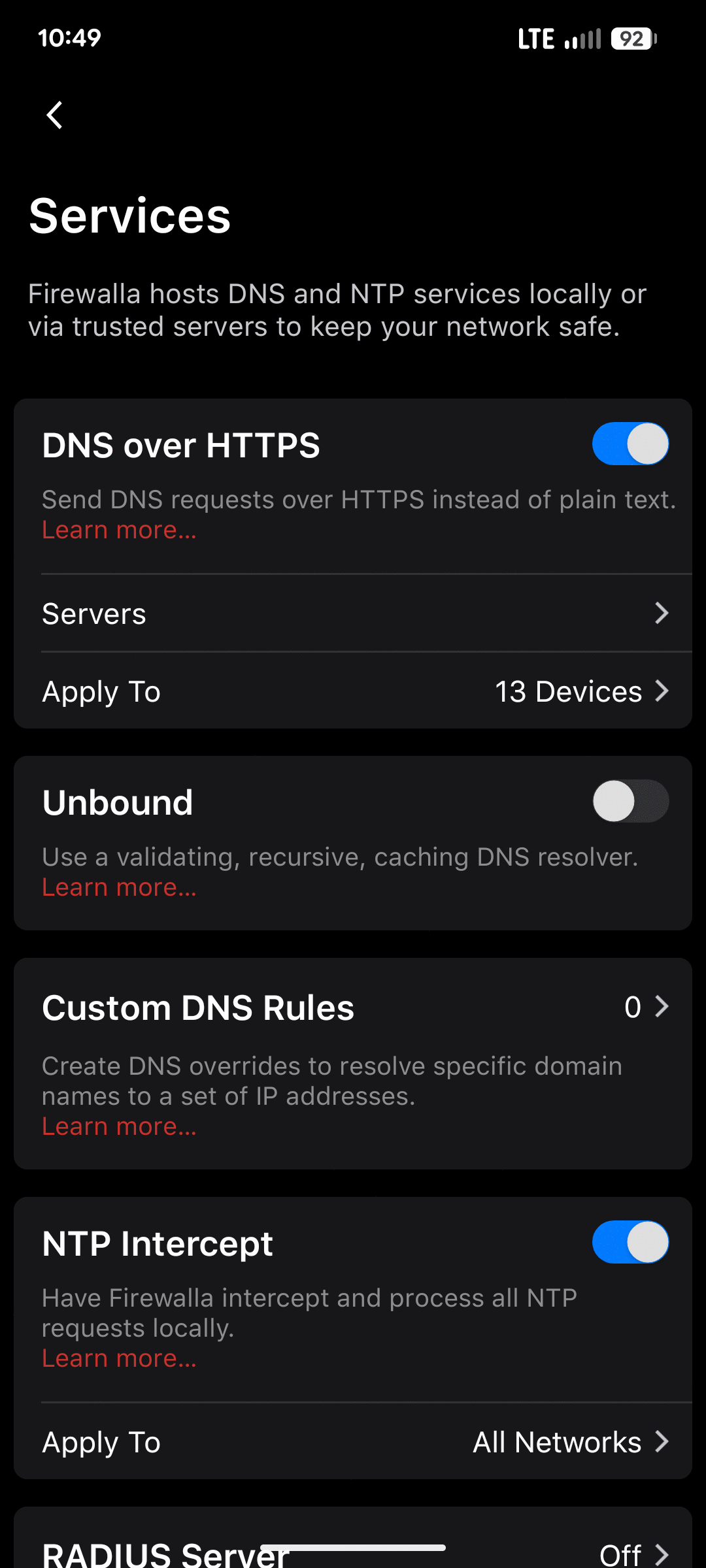 DNS interception and DNS-over-HTTPS excluded for VLAN 30.
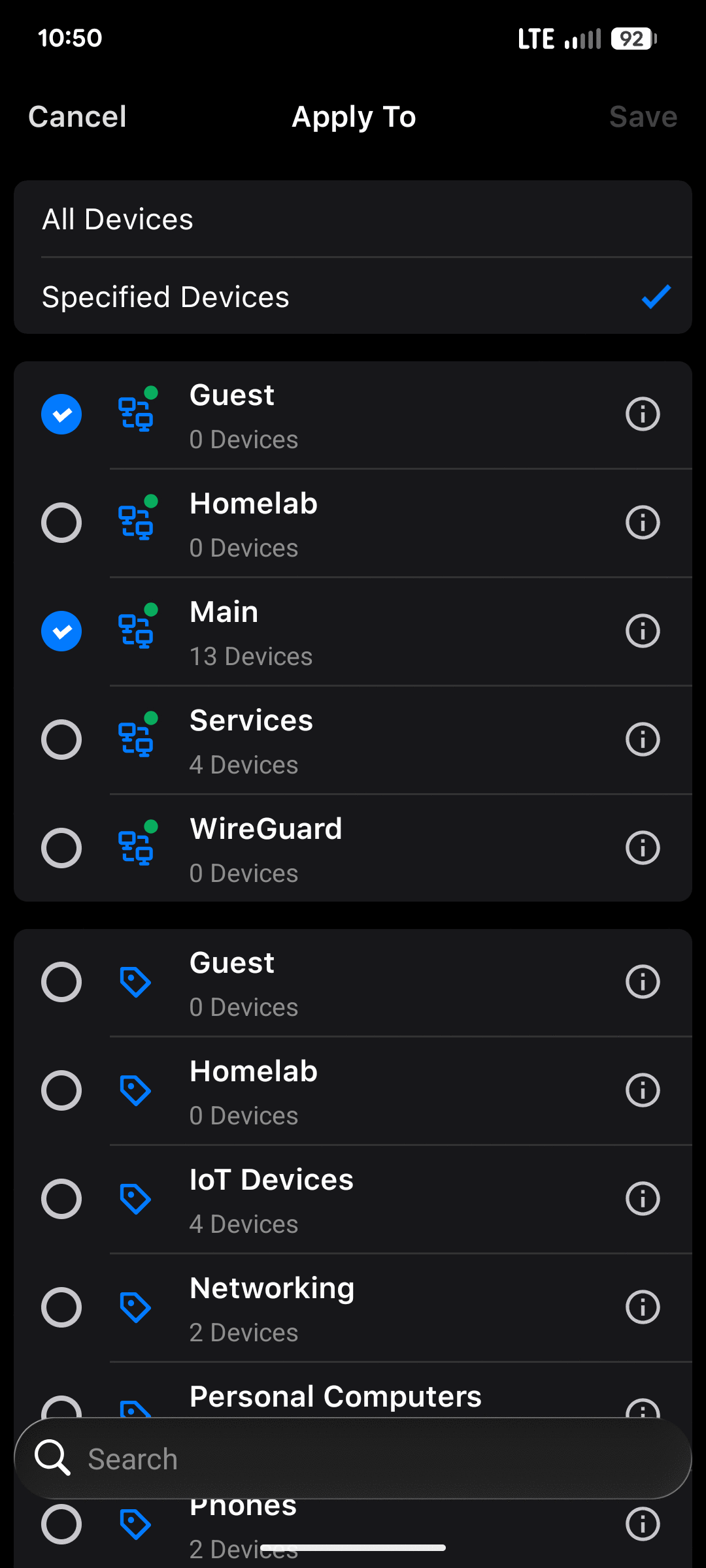 VLAN 30 excluded, nothing else on the network touched.
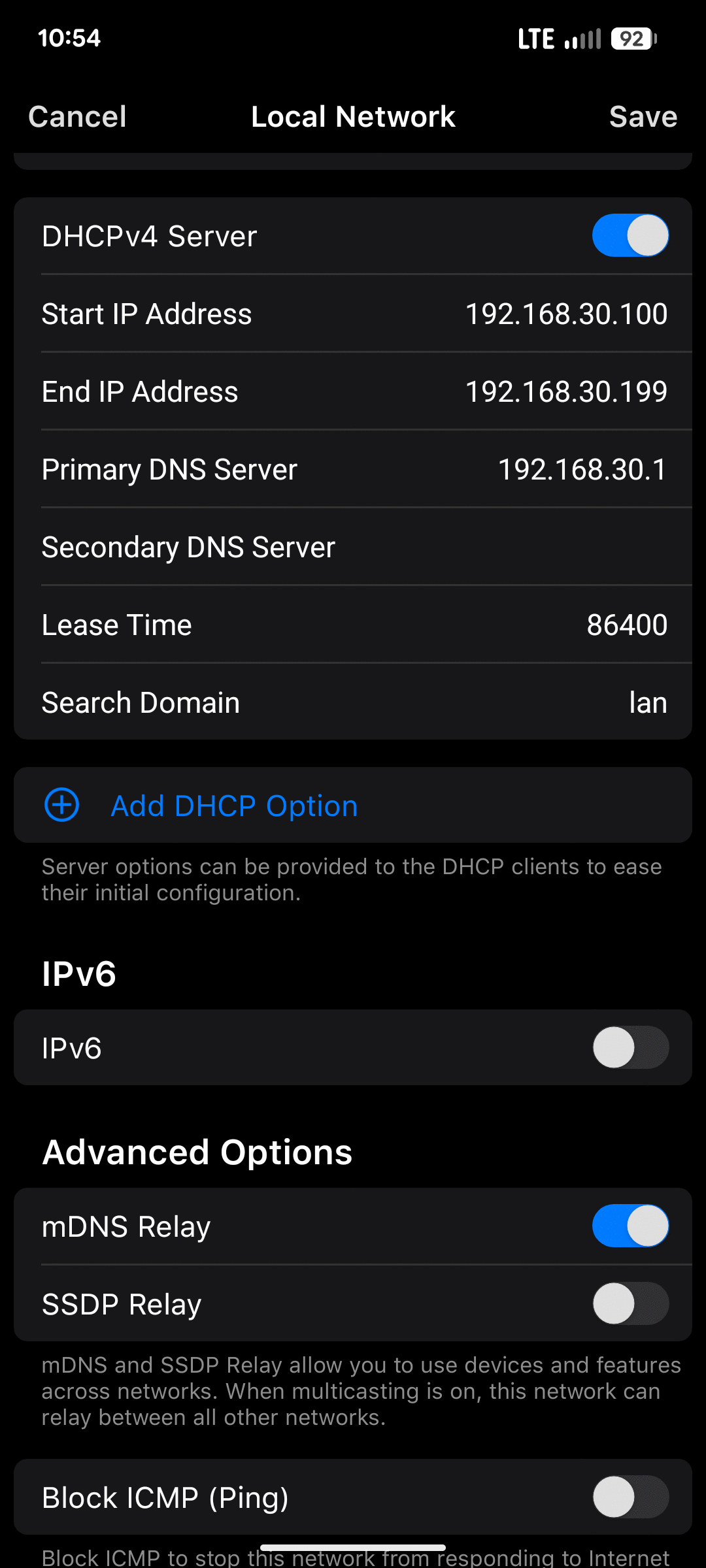 Narrowing the VLAN 30 DHCP pool so it no longer overlaps the static addresses.
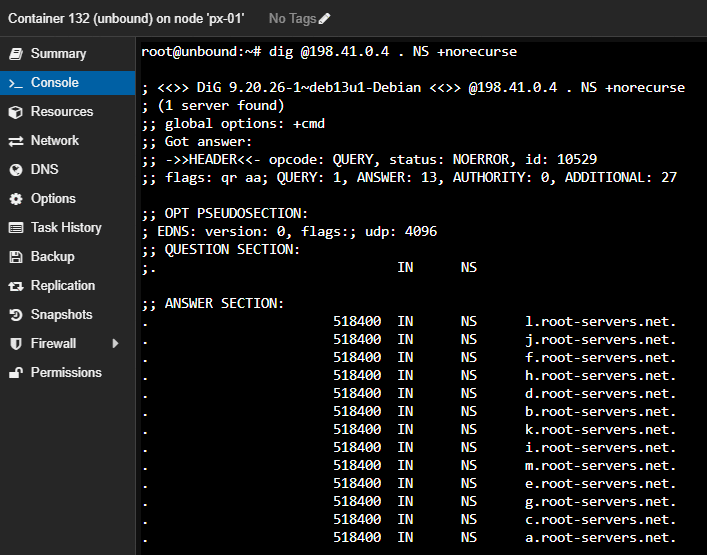 A response that could not have come from a root server: REFUSED,
 ra set, 7 ms.
Verification
| Test | Result | Establishes |
|---|---|---|
| Cold query | NOERROR, 294 ms | Recursion from the root servers |
| Repeated query | NOERROR, 1 ms, TTL decremented | Caching |
| Correctly signed name | NOERROR, ad flag set |
DNSSEC validation succeeded |
| Deliberately broken name | No answer returned | Invalid data refused |
Same query with +cd |
NOERROR, 0 ms from cache | The refusal is attributable to validation alone |
The ad flag is the operative evidence. Authenticated Data is set only after a DNSSEC
chain has been fetched and validated. The broken-name query returning no answer rather than
SERVFAIL remains a pass - the resolver continues seeking a chain that validates before
formally giving up, and the client stops waiting first. The +cd comparison isolates the
refusal: identical query, identical server, differing only in whether validation is
enforced.
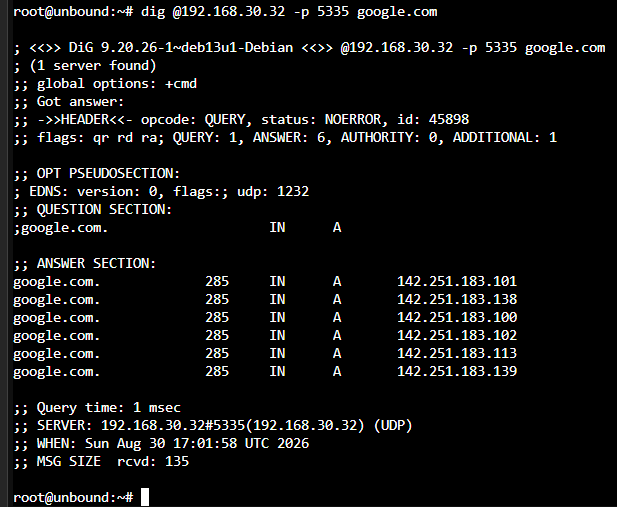 Clean NOERROR responses once recursion was reaching the real root servers.
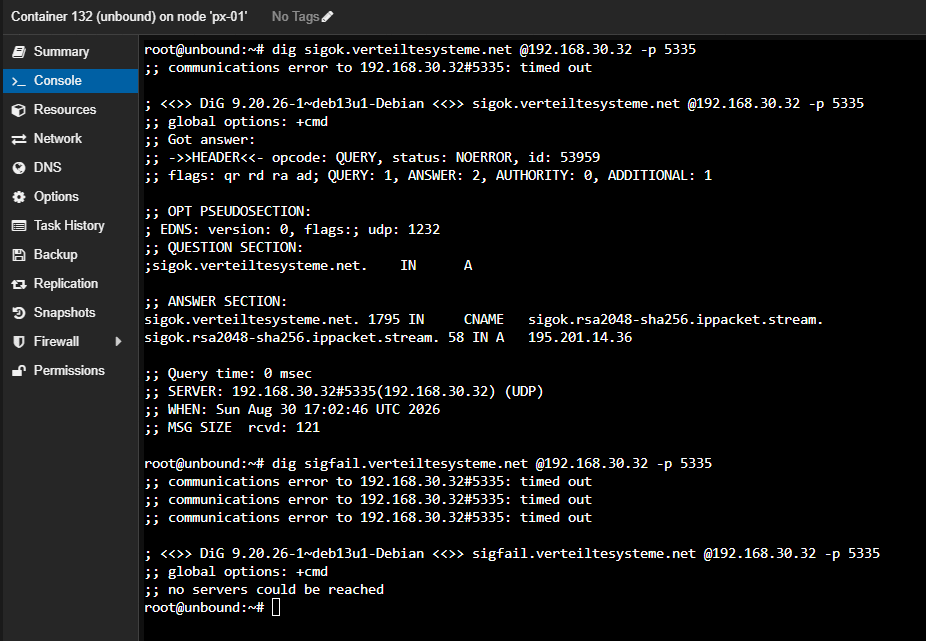 Working through the verification tests one at a time.
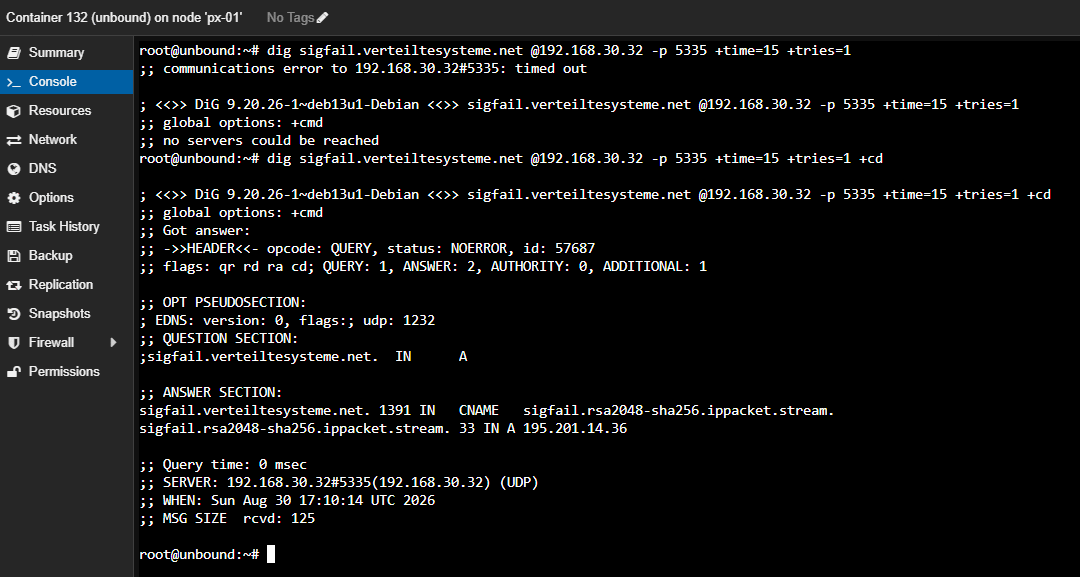 The
The ad flag: DNSSEC validation succeeded.
Backup
Placement
Proxmox Backup Server was installed as a virtual machine on px-02.
The server may be installed directly onto a Proxmox VE node, which conserves memory. It was not, because backups sharing an operating system with the node they protect means a single failed upgrade or a filled root filesystem removes both simultaneously. A virtual machine boundary costs a small amount of memory and produces a backup server that survives its host being rebuilt.
px-02 was selected because it holds no primary data. Backups must not reside on the node holding the data they protect, nor on a node that is routinely powered off.
Two virtual disks were allocated - a 32 GiB operating system disk and a 90 GiB datastore disk. A datastore that fills does not then wedge the operating system, and the recovery path becomes reinstall, reattach the datastore disk, re-register. The backup data survives the operating system being rebuilt entirely, which is also why the backup server is excluded from its own backup job.
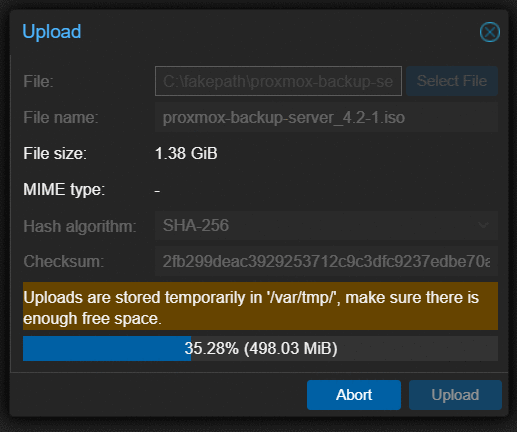 Installing PBS on PX-02.
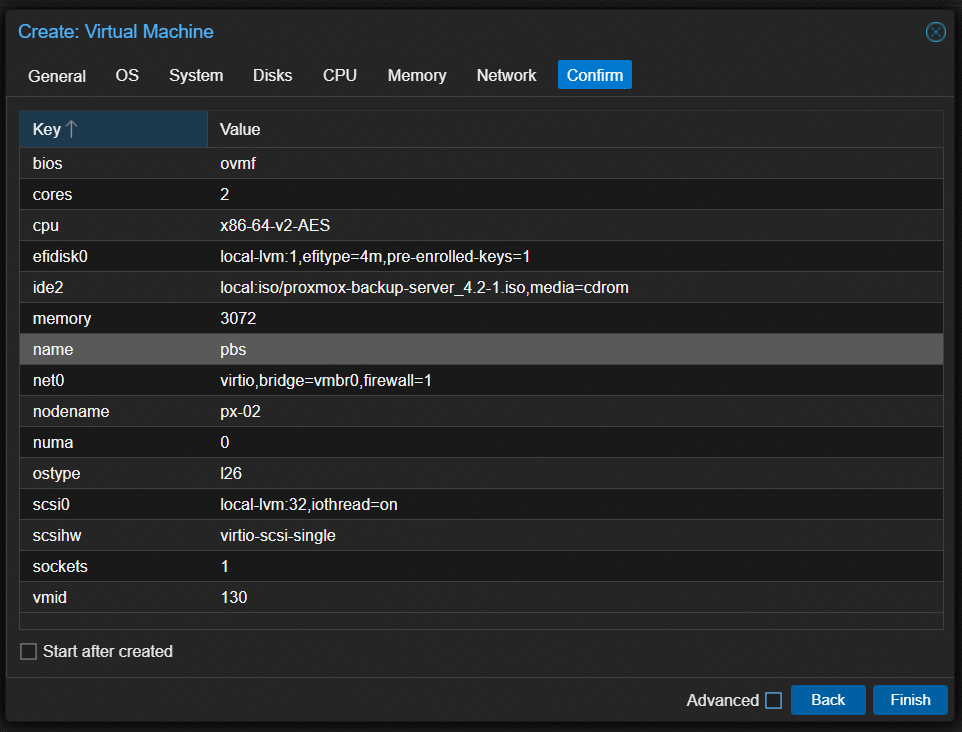 Two virtual disks: one for the OS, one for the datastore.
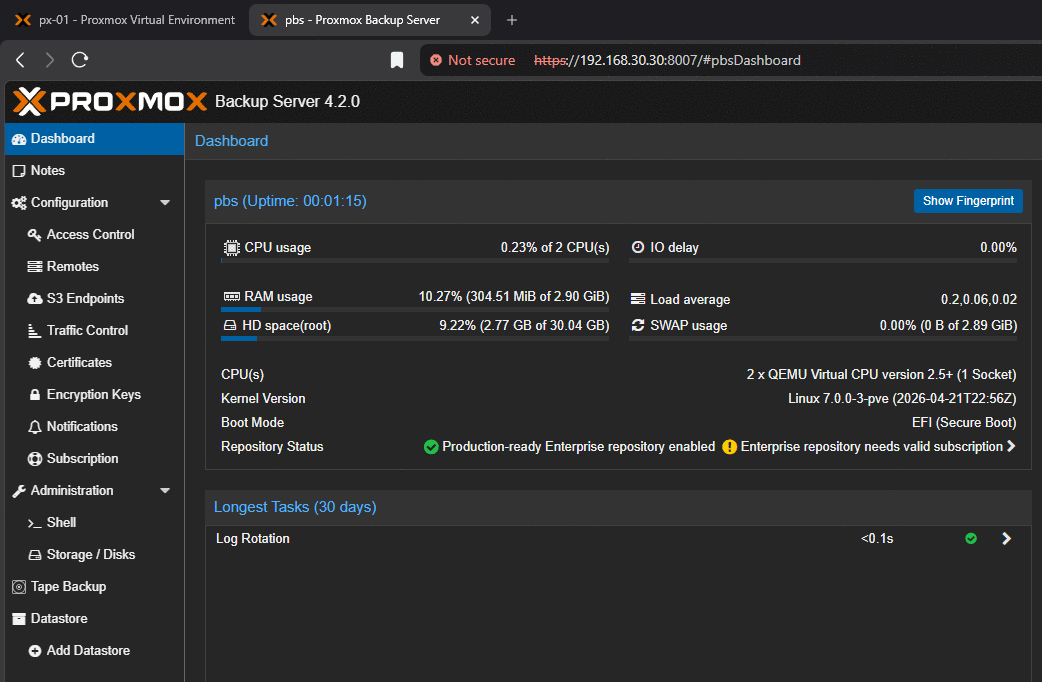 PBS up and running.
Credentials
The hypervisors authenticate to the backup server using an account holding the
DatastoreBackup role rather than an administrative role.
DatastoreBackup permits creating and reading backups. It does not permit pruning or
deletion. The credentials held on each hypervisor can add to backup history and cannot
destroy it. Where a node is compromised, the attacker cannot reach through the backup
connection and remove restore points - the mechanism by which ransomware most commonly
defeats backups.
The consequence was configured for rather than discovered: retention cannot be enforced by the client. Retention is left unset in the backup job, where it would attempt a prune it lacks permission for and report failure, and the prune schedule is configured on the backup server instead.
Job Scope
The backup job is scoped to px-01 with selection mode set to All.
This requires no maintenance. Every service subsequently built on the household services node is protected from the day it is created. The alternatives each carry a recurring obligation - pool-based selection requires adding every new guest to a pool, and all-nodes-with-exclusions requires excluding laboratory guests that are created and destroyed routinely. Both are the same failure pattern: a default that must be remembered.
The negative case is stated rather than left implicit: a persistent service placed on a node outside the job’s scope is not protected.
Laboratory guests on px-03 are excluded by design. The running laboratory environment is disposable and the automation that builds it is the artifact worth protecting; a backup of a guest intended for destruction protects nothing that version control does not.
Schedules
Three schedules are configured and each performs a distinct function.
- Prune marks snapshots for removal according to retention policy.
- Garbage collection frees the disk space. Prune alone does not reclaim capacity - a datastore with prune and no garbage collection fills while the interface reports that old backups have been removed.
- Verification re-reads every chunk and validates it against its stored checksum. Without it the backups have never been confirmed readable.
Failure notifications are delivered to a monitored email address. A backup job that fails silently is worse than no backup job, because decisions are then made in the belief that protection exists.
The job was executed manually and the resulting snapshot confirmed present in the datastore before being trusted.
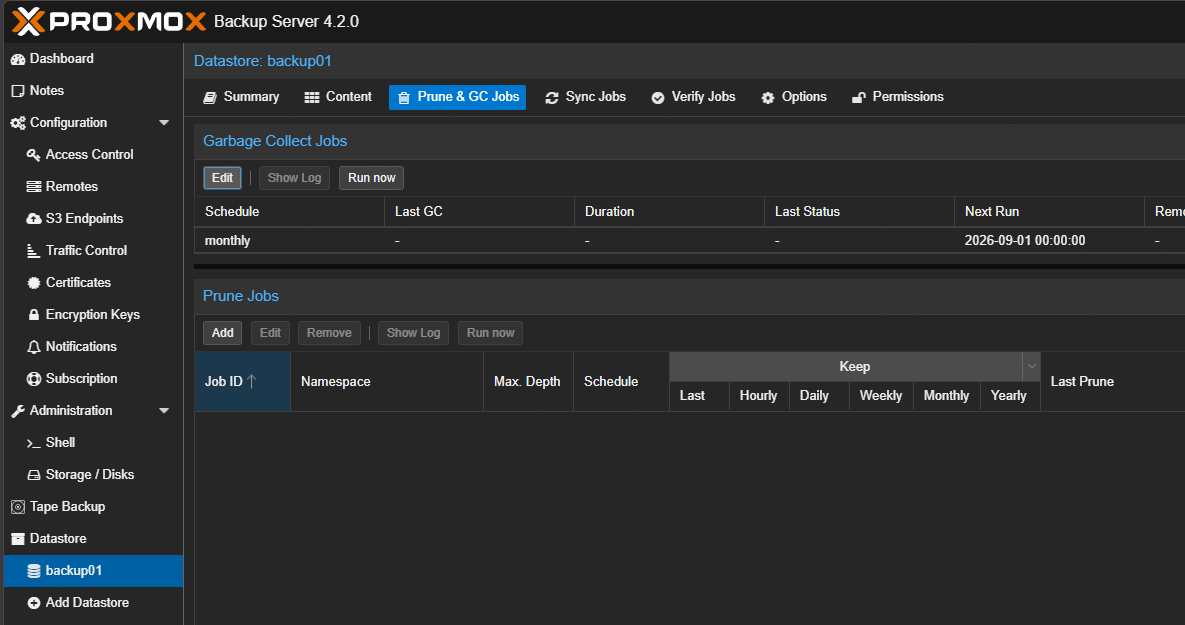 Garbage collection rules – prune alone does not reclaim space.
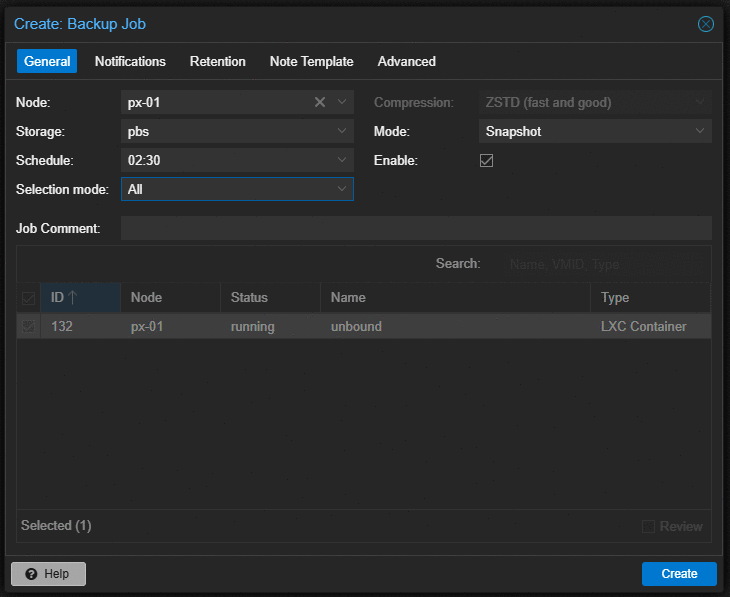 Creating the backup job for PX-01.
Access Control
A dedicated administrative account was created in the Proxmox authentication realm with
two-factor authentication enabled, and root@pam retained as a break-glass credential
without two-factor.
The commonly recommended PVEAdmin role was assigned first and proved unusable. It
explicitly excludes Sys.Modify, Sys.PowerMgmt, Realm.Allocate, and
Permissions.Modify. Creating a datacenter backup job requires Sys.Modify; rebooting a
node from the interface requires Sys.PowerMgmt. The result is an account that cannot
perform routine administration.
Administrator was assigned instead. Least privilege means matching privilege to the job
performed, and where the job is administering the cluster, that is the role. Restricted
roles earn their place where a junior technician should manage guests but never networking.
The limit of this control is worth stating rather than overselling. Administrator
includes Sys.Console, so the account can open a root shell on a node through the web
interface. It is not a containment boundary. What it provides is a separately revocable
credential, a task log distinguishing routine work from break-glass work, and an account
carrying two-factor authentication where the break-glass account deliberately does not.
Key-based SSH authentication was configured to all three nodes using an Ed25519 key held in an agent. Root password authentication over SSH was left enabled deliberately, with the condition that reverses that decision recorded: any inbound path from outside the network, whether a port forward, a remote access VPN, or a mesh VPN subnet router advertising the management network.
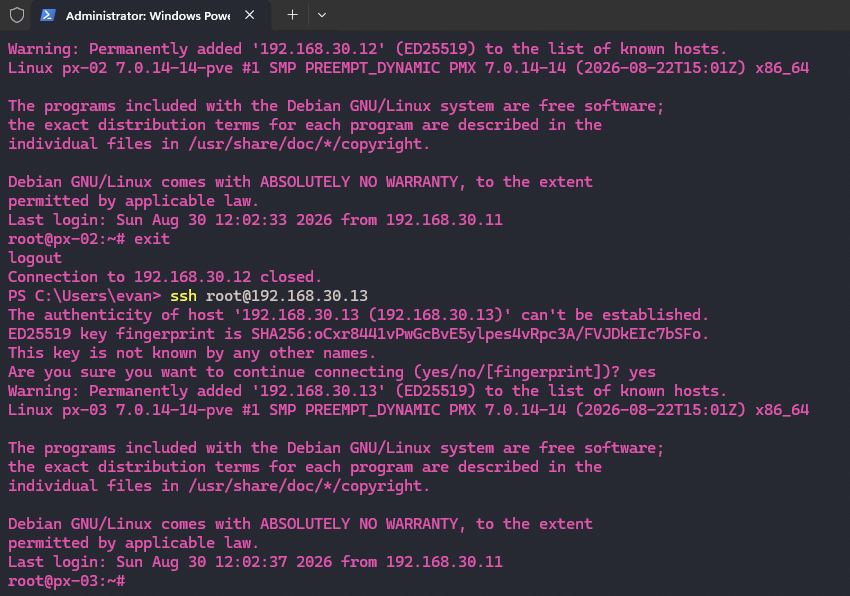 Key-based SSH working from PowerShell.
Drive Health
Every drive was baselined before it held data. One reading is a number; two readings are a trend, and the second reading has no value without the first.
| Drive | Node | Power-on hours | Wear | Lifetime writes |
|---|---|---|---|---|
| WD Red 3 TB | px-03 | - | Extended self-test passed | - |
| Samsung 870 EVO 1 TB | px-01 | 994 | 3 program/erase cycles | 2.85 TB against 600 TBW rated |
| Samsung PM9A1 512 GB | px-01 | 6,700 | 6% consumed | 14.1 TB |
| SK hynix PC401 256 GB | px-02 | 12,283 | 17% consumed | 36.0 TB |
| WD Black SN7100 1 TB | px-03 | 46 | 0% | 127 GB |
All solid-state drives reported zero media and data integrity errors and full available spare capacity.
Two findings were recorded that a pass/fail reading would have discarded. The PM9A1 shows 433 unsafe shutdowns across 768 power cycles - the signature of a machine habitually powered off uncleanly, which is history rather than fault. The PC401 is the most worn drive in the cluster and is the drive holding the backup datastore, which means the planned capacity upgrade also retires the oldest drive rather than simply adding space.
One attribute was recorded as a watch item rather than a finding. The 870 EVO reports 105 on a vendor attribute whose meaning is ambiguous between factory-marked bad blocks and runtime failures. The runtime indicators that would confirm degradation are zero. The correct action is a second reading in three months, not a decision now.
Outcome
A three-node cluster carrying always-on household services and a disposable laboratory, with backups that have been executed and verified, administrative access under two-factor authentication, every drive baselined, and a documented rebuild procedure.
Two items were deferred rather than completed, each with the condition that reverses it recorded instead of a review date:
- Root password authentication over SSH. Reversed by any inbound path from outside the network.
- The laboratory’s isolated bridge. Deferred because an isolated bridge would break the hybrid directory synchronization the laboratory requires, and the network address translation design that resolves it belongs with the laboratory build rather than ahead of it.
The full build and troubleshooting procedure, written to be followed by someone who has not done this before, is published separately as a runbook.
Built: 27-30 August 2026 Stack: Proxmox VE 9.2.11, Proxmox Backup Server 4.2.0, Debian 13, Unbound 1.22