The IT Field Manual is now at version 1.3. Version 1.0 went up five days ago at approximately 37,000 words across 23 sections. It now runs approximately 93,000 words across 31.
This was not a rewrite. Sections 00 through 21 are unchanged and every tag from version 1.0 still resolves, which was the whole point of tagging blocks instead of numbering them. Three versions landed in five days because three different piles of material came due at once: a set of course notes I had never filed, a study guide I was working through, and the Microsoft 365 project I finished over the weekend.
| Version | 1.3, 23 August 2026 |
| Size | ~93,000 words · 31 sections · ~440 headings |
| New since 1.0 | §22 – §24 fundamentals · §26 – §30 cloud administration |
| Corrections logged | 54 in [APX-C], up from 16 |
| Read / download | Online · raw Markdown |
1.1 – the layer that was missing underneath
Version 1.0 had a real gap and I didn’t see it until I tried to explain something out of it. The manual could tell me the command to run, the order to run it in, and what the output should look like. It could not tell me why that was the right command, because there was no protocol or security layer sitting under the operational one.
Concretely: there was nothing on the OSI model, CIDR and subnet math, DNS record types, the DHCP DORA sequence, TCP handshake semantics, cryptography, AAA, or the Kerberos ticket flow. Those are the things a client and/or a senior engineer asks about after the ticket is closed, and “the runbook said so” isn’t an answer either of them accepts.
Sections 22, 23, and 24 close it. The tag prefixes are deliberately split rather than merged:
| Prefix | What it holds |
|---|---|
[NET] |
Network diagnostics – the commands you run |
[NETF] |
Networking fundamentals – the reasoning underneath them |
[SEC] |
Security procedures – least privilege, incident response |
[SECF] |
Security fundamentals – crypto, AAA, threat taxonomy |
[SYSF] |
Systems and directory concepts – MBR/GPT, LDAP bind, SAM |
When something is on fire I want the first one. When somebody asks me to justify it, I want the second. Keeping the two apart means neither search has to wade through the other, and it costs nothing but a naming convention.
1.2 and 1.3 – the half of the job that is not on-premises
Version 1.0 was straightforward about where it came from. It came out of building a hybrid environment on hardware, so it was strongest on Active Directory, Group Policy, file services, and the sync bridge into the cloud. Actual cloud administration was one thin section.
Five sections now cover it:
| § | Section | What it is for |
|---|---|---|
| 26 | Microsoft Purview and data governance | Sensitivity labels, DLP, retention, eDiscovery, and the simulation-mode trap |
| 27 | Copilot and agent administration | Oversharing readiness, licensing, RCD vs RSS vs RAC, agent governance |
| 28 | Public DNS for mail | MX, autodiscover, SPF, DKIM, DMARC, DNSSEC, and wildcard records |
| 29 | Exchange Online administration | Message trace, quarantine, shared mailboxes, delegation, proxy addresses |
| 30 | SharePoint Online and OneDrive | External sharing, guest access, and the people picker |
Sections 28, 29, and 30 are the M365 project written back into reference form, with the lab’s hosts, domains, and tenant names stripped at the moment of writing rather than later. Sections 26 and 27 came out of the Copilot and Agent Administration Fundamentals material I am studying, with the exam scaffolding removed – the passing score and the domain weighting do not transfer to a job, and the product behavior does.
Two new rules in the doctrine section
Section 01 is ten rules that apply regardless of which technology is broken. It hadn’t changed since version 1.0. It now has twelve.
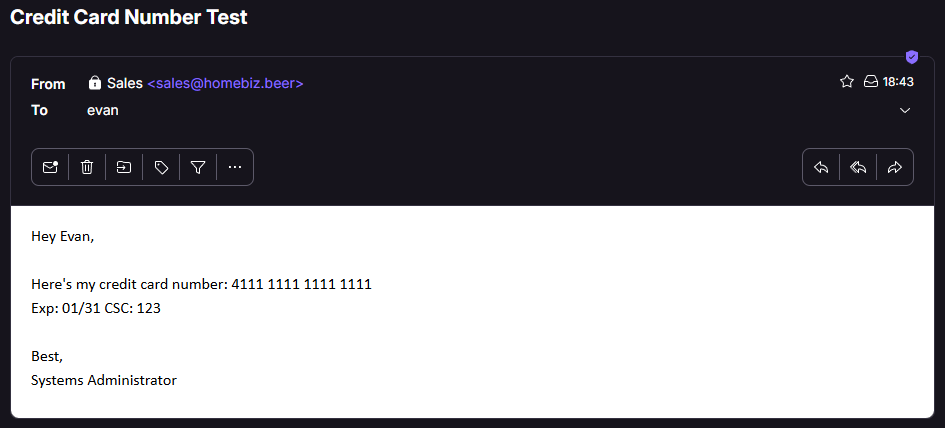
[DOCTRINE-11] – an override makes your diagnostics lie. A wildcard DNS
record, an allowed-sender entry, and a DLP policy left in simulation mode are
three unrelated products doing the same thing: the test still runs, still
returns a result, and the result still looks like an answer. I wrote about
all three in more detail last week.
[DOCTRINE-12] – read the screen before you diagnose. Three separate
incidents on one project were answered by information already rendered on the
monitor in front of me. The most expensive was a DNS delegation I waited on for
forty-five minutes while the admin center displayed a banner saying DNSSEC was
enabled and Microsoft 365 DNS hosting doesn’t support it.
That one is the image at the top of this post. It seemed only fair to leave it there.
The correction log is the part I would read
Appendix C records every claim in my own source material that turned out to be wrong, alongside the correction and where it was verified. Version 1.0 shipped with 16 entries. Version 1.3 has 54.
A representative handful:
- The DKIM selector CNAME format changed in May 2025 and now includes a
dynamically assigned partition character. The target ends
.dkim.mail.microsoft.com, and truncated examples missing the trailing.comare still circulating, which leaves the record stuck onCnameMissing. - Message trace is interactive out to 10 days, not 7. Original client IP is retained for 10 days and appears only in the downloadable reports.
- The quarantine retention default depends on where the policy was created. Thirty days in the Defender portal, 15 in PowerShell. The correct move is to read it off the policy rather than quoting a number from memory.
- Business Premium sensitivity labels can apply encryption, which I had filed as an E3 feature. What Business Premium actually lacks is automatic and recommended labeling.
- Sensitivity labels as a DLP condition are E5-tier. On Business Premium the policy saves without complaint and then silently never matches, which is a worse failure than an error message.
Two entries are flagged as unverified rather than quietly dropped, because I could not confirm them against Microsoft Learn, and a labeled maybe is worth more than a confident wrong answer.
The instruction I did not follow
The M365 project produced a tagged module written to be pasted straight into the
manual. Its own integration instructions said to add it as sections 23 through
26 under a [PUR] tag prefix.
Both were wrong by the time it was written. Sections 23 through 26 were already
occupied by the fundamentals layer added in 1.1, and [PUR] collides with the
existing [PURV] prefix badly enough that a search for one returns both. So the
Purview material got merged into the existing §26 instead of standing up a
second Purview section, and the new material landed at 28 through 30.
I’m noting this because it’s the failure mode of any generated documentation, including the kind I produce with an assistant. The instructions were written against a snapshot of the manual that was already four days stale. Pasting them in as written would have produced two Purview sections, a colliding tag, and a contents table that lied about both. Documentation that arrives with integration steps still has to be integrated by somebody holding the current version.
What is next
Section 25, “Personal additions,” is still empty, and that’s still deliberate. It is the landing zone for entries that have not earned a home yet, and an empty section is a standing invitation to fill it.
Moving forward: an Ubuntu Server file/print services build, which is the next thing the manual has no coverage of at all, and converting the inline scripts into a real parameterized toolkit. Version 1.4 will most likely be Linux and Samba.
That all being said, the manual is public because a document I know somebody might read is a document I write more carefully. If you spot something in it that is wrong and/or out of date, I would be more than happy to hear about it – that is what Appendix C is for, and it is the appendix I expect to keep growing!