I spent two days last week doing the unglamorous half of Microsoft 365 – mail flow, shared mailboxes, distribution lists, SharePoint sharing, and a DLP policy. The full write-up is up now:
Microsoft 365 Administration – Mail Flow, Collaboration & Data Governance →
The last project built a hybrid environment from bare metal, which answered how do you stand this up and never once touched what do you do on Tuesday – and at a small business, Tuesday is almost entirely email. Shared mailboxes, “where did my message go,” “why is this in quarantine,” “can you give Sarah access to the sales inbox.” I had zero hands-on with any of that, so it is what I went after this time.
Nine root-cause findings came out of it. Three of them turned out to be the same finding wearing different clothes, and that one is the reason this is a post and not just a link to the case study.
The pattern
A wildcard DNS record. I ran an inventory script expecting five
DNS name does not exist answers for five missing records, and what came back
instead was five perfectly valid answers. The registrar’s default * parking
CNAME was quietly answering for every subdomain that had no explicit record of
its own. Every “does this record exist?” check came back yes, and not one of
the five records existed.
An allow-list entry. I had modified an anti-spam policy for a quarantine test and then never reverted it, which contaminated the next task. So I added an allowed-sender entry to stop the interference – which meant my subsequent “is it reverted yet?” test would deliver successfully whether or not the revert had taken. I had destroyed my own ability to tell the two states apart, and I had done it with a fix.
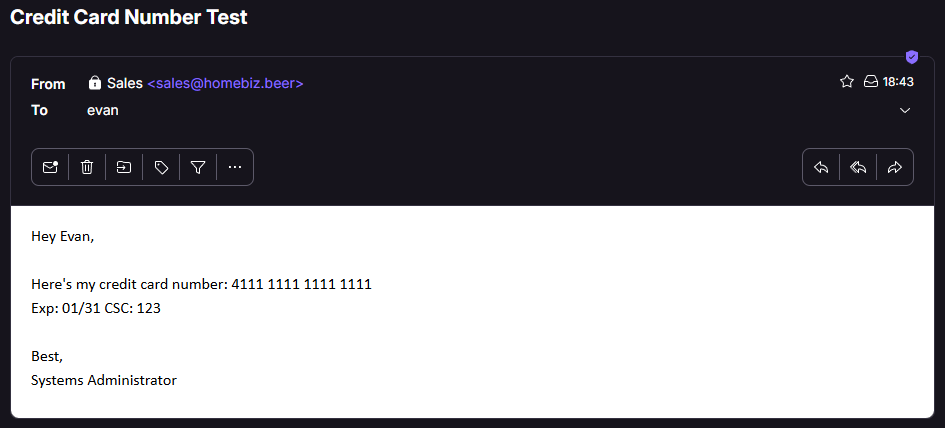
A DLP policy in simulation mode. This is the one that actually bothers me. Outlook showed the policy tip before send, message trace logged three DLP rule evaluations, and I received a notification telling me I had shared content containing a credit card number outside the organization. Every surface a reasonable person would think to check said the policy was working.
The card number arrived at the external recipient in plain text.
I flipped the policy to enforcement and ran the identical test half an hour
later, and the message trace came back effectively identical – same events,
same rule evaluations, same policy tip, same user notification. The only
difference anywhere in the chain was at the far end, where the recipient this
time received an encrypted .rpmsg wrapper instead of a readable card
number.
Why this is worth a post
An override does not only change behavior; it changes what your tests report, and it does that silently. The test still runs, it still returns a result, and the result still looks exactly like an answer.
Had I deployed that DLP policy for a client and walked away, I would have told them their data was protected. It was not. Nothing on the admin side would ever have contradicted me.
Four rules I am keeping:
- Remove overrides before testing, not after. A revert verified while an override is still active is not verified.
- Verify at the far end. DNS answering is not mail flowing. A policy tip is not enforcement. Check what the recipient actually received.
- When a result matches what you expected, ask what the test could not have told you. Agreement is not confirmation.
- In an inherited environment, inventory the overrides before you trust any diagnostic. Wildcard DNS records, allow lists, disabled policies, simulation-mode policies – all invisible until you go looking for them specifically.
The other one I earned the hard way
Separately, and more embarrassingly: I burned approximately forty-five minutes waiting on a DNS delegation to Microsoft that was never going to work, because DNSSEC was enabled on the domain and Microsoft-hosted DNS does not support it.
The admin center had a banner saying exactly that. On screen. The whole time.
Two more of the same shape are in the write-up – a SharePoint share that
“never arrived” where the confirmation dialog had named the actual recipient,
and an unexplained Drop in a message trace whose detail line carried an SMTP
success code. In all three cases the answer was already rendered on the screen
I was staring at, well before I started building a theory about what might have
gone wrong.
Reading the banners and/or the confirmation dialogs is a cheaper habit than the alternative.